Employee productivity software built around output.
Workload and hours in one view.
No credit card required · Start with one team · Plans from $4.99 a month
Built by AKIJ iBOS, part of AKIJ Resource · Offices in Dhaka and San Francisco
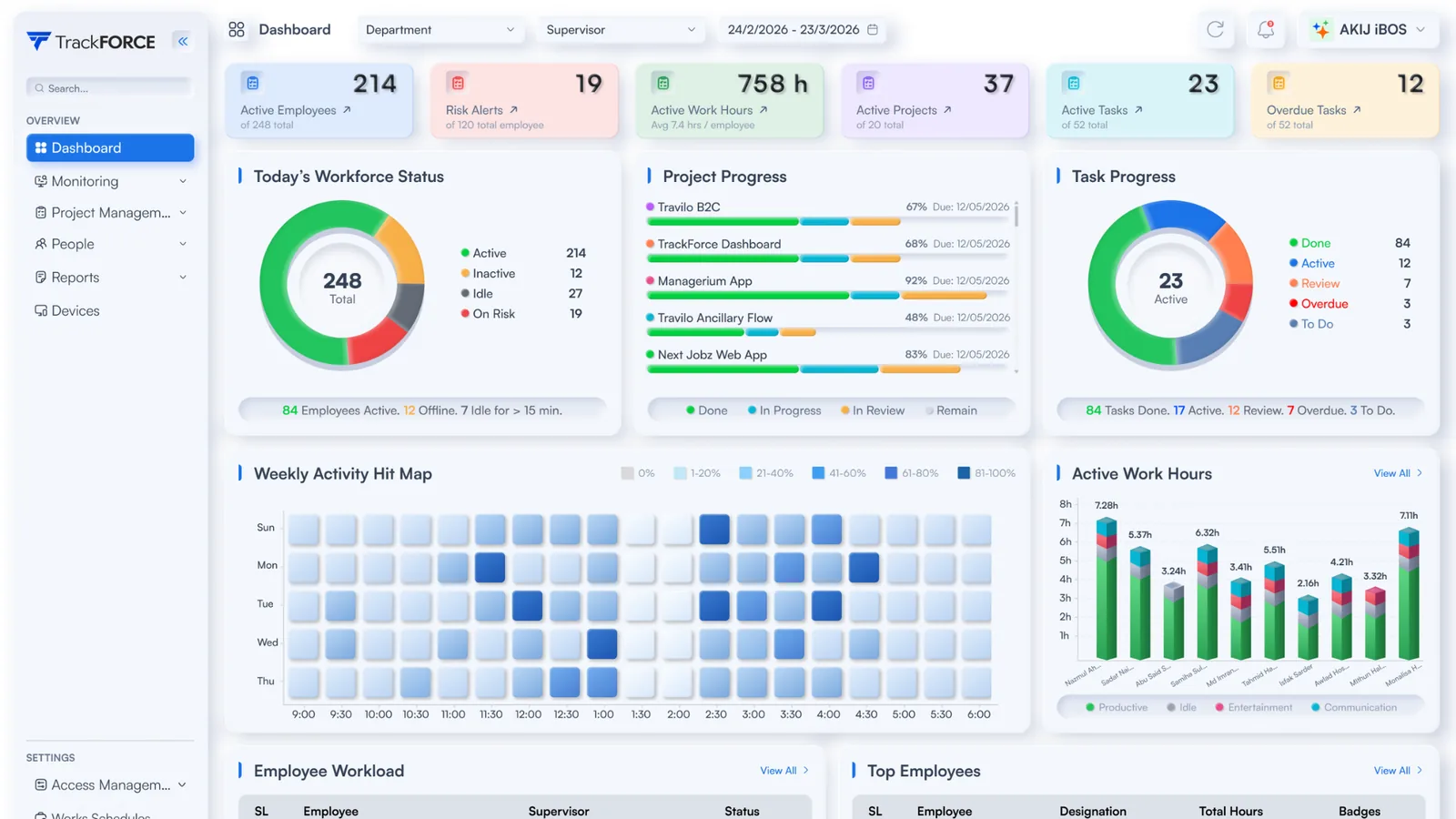
What managers get from TrackForce
Three things a team lead needs every week, from one set of data.
See delivery in context
Completed tasks, project progress and hours sit in one view, so a low number is read against the workload behind it.
Spot overload early
Each person carries an overloaded, balanced or underloaded status, and insights suggest where tasks could move before deadlines slip.
Choose what is captured
Screenshot intervals, keystroke logging and app tracking are set per device during setup, so capture can follow a written purpose.
What employee productivity software is, and what it is not
Employee productivity software shows how work is progressing across a team: completed tasks, workload per person, project progress and working hours. It sits between two older categories, and buyers often compare all three.
| Time tracking software | Employee monitoring software | Employee productivity software | |
|---|---|---|---|
| The question it answers | How many hours were worked? | What is happening on screens? | Is work getting done, and is the load fair? |
| Typical data | Hours by person and project | Screenshots, app and website use, sometimes keystrokes | Completed tasks, workload, project progress and hours |
| Best used for | Billing, payroll and overtime records | Security reviews and investigations with a documented reason | Workload balance, resource planning and performance reviews |
| The common mistake | Reading hours as output | Collecting more than the purpose needs | Judging output without the workload behind it |
TrackForce sits in the third column. The same desktop app can also capture activity data, set per device, for teams with a documented reason to collect it.
From install to a workload view managers can act on
Three steps. Settings come first, so the data collected is the data you decided to collect.
Install and choose capture
Install the desktop app on Windows or Mac devices, then set screenshot intervals, keystroke logging and app tracking per device. Leave off anything the purpose does not need.
Organize teams and access
Import staff from Excel or CSV, tag them by department and assign supervisors. Managers and admins get separate roles and permissions.
Read output, then talk
Workload sits beside output for the whole period. The conversation starts from evidence rather than from the last fortnight.
 1234
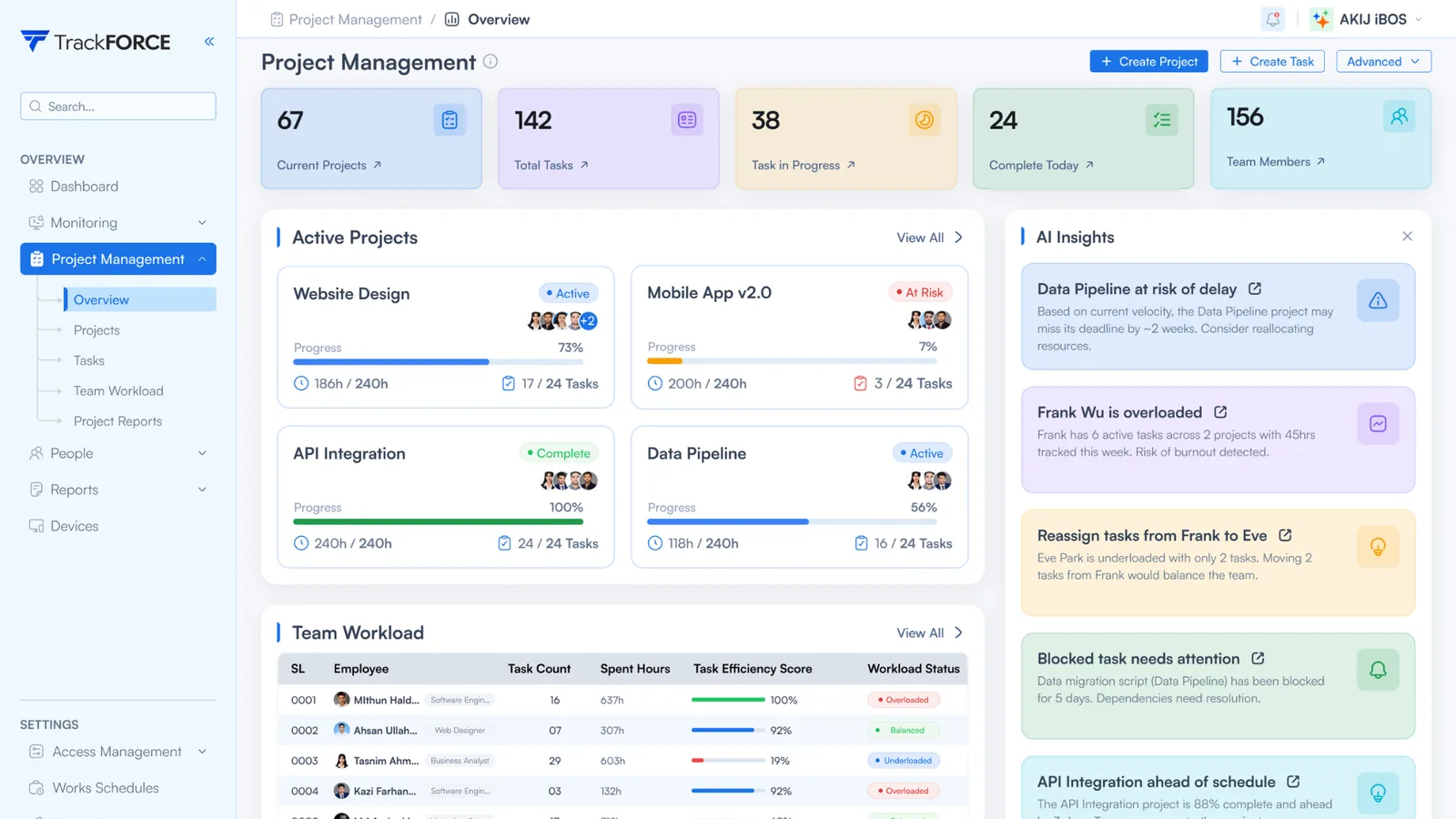
1234- Projects and tasks at a glance. Current projects, total tasks, work in progress and tasks completed today.
- Progress against hours. Each project shows completion beside hours used against hours planned.
- Team workload. Task count, hours spent, efficiency score and an overloaded, balanced or underloaded status per person.
- Insights. Flags delivery risk and overload, and suggests where tasks could move.
Start with output. Add activity only with a reason.
Activity data answers a different question from output data, and it carries more risk. Acas, the UK workplace advisory body, warns that excessive monitoring “can damage trust, cause stress, reduce productivity.” A rollout that starts small is easier to explain and easier to defend.
Output and workload
- Completed tasks against plan
- Workload status per person: overloaded, balanced or underloaded
- Project progress against hours planned
- Working hours over the full period
Activity capture
- Screenshots and screen recordings
- Keystroke logging
- App and website use
- File transfer visibility
Each activity setting is chosen per device in TrackForce, so one team can run on output data while another, with a documented reason, collects more.
What TrackForce helps managers do
Six everyday decisions the reports support. The desktop agent can also capture screenshots, screen recordings, keystrokes, app and website use and file transfers. Those settings belong only on devices where a written purpose needs them and staff have been told in advance.
Review the full period
Output per employee across the whole review period, so a review does not rest on the last fortnight.
Separate workload from performance
Volume carried sits beside output, so a low number reads correctly when the work was heavy.
Reallocate before deadlines slip
Each person shows as overloaded, balanced or underloaded, with insights on where tasks could move.
See where project time goes
Hours by project, which turns a reallocation argument into numbers.
Cut month-end reporting
Hours and workload build from everyday work, so reports do not wait on manual timesheets.
Capture settings per device
Screenshot interval, keystroke logging, app tracking and file transfer visibility are chosen per device, so collection can stay inside the stated purpose.
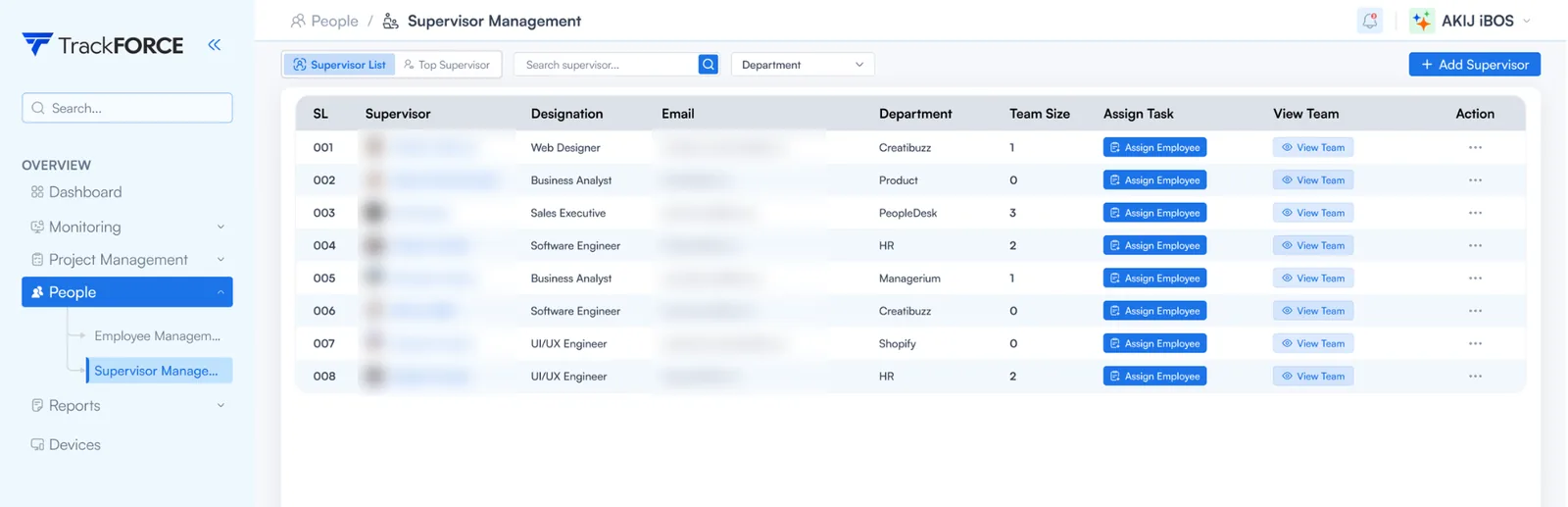
Local rules for rolling out TrackForce
Data protection and working time rules differ by country. These pages set out what applies in each market and how to configure TrackForce to match.
Employee productivity software in the UK
ICO expectations on DPIAs and legitimate interests, Working Time Regulations records, and a free DPIA and LIA template.
See the UK page →United Arab EmiratesEmployee productivity software in the UAE
PDPL, DIFC and ADGM regimes, Article 44 of the Cybercrime Law, and Labour Law hours including Ramadan.
See the UAE page →South AfricaEmployee productivity software in South Africa
POPIA notice and lawful ground, the RICA business exception, and BCEA hours and three-year time records.
See the South Africa page →Operating somewhere else? Most data protection laws ask for the same three things: a lawful reason, a notice to staff before collection, and no more data than the purpose needs. Check local law before switching on activity capture.
What to check in any productivity tool, and where TrackForce stands
Seven questions worth asking every vendor on your shortlist, with TrackForce’s own answers. A wider market view sits in our guide to the best workforce analytics software.
| What to check | TrackForce | Why it matters |
|---|---|---|
| Output and workload reporting | Task efficiency, workload status and project progress per employee | Output evidence is easier to justify than activity data |
| Working hours | Logged per employee by the desktop app and shown over the full period | Most countries set hour limits and record-keeping duties |
| Activity capture | Screenshots, keystroke logging, app and website use, file transfers, configured per device | Activity data carries the most privacy risk, so it should follow a written purpose |
| Visibility to staff | A login-based app staff sign in to. Centrally managed background deployment is also supported for IT-managed devices | Most data protection laws expect staff to be told before collection |
| Access control | Separate roles and permissions for managers and admins | Limits who can see individual data |
| Team structure | Staff tagged by department and assigned to supervisors | Keeps reporting lines clear as teams grow |
| Retention | Confirm the retention period for your plan with TrackForce | Data should be kept no longer than the purpose needs |
Answers reflect TrackForce’s published documentation. Ask any supplier the same seven questions, including TrackForce, and get the answers in writing.
Start with a free 30-day trial. Paid plans from $4.99 a month.
Questions buyers ask first
What is employee productivity software?
Employee productivity software shows how work is progressing across a team: completed tasks, workload per person, project progress and working hours. Managers use it to spot overload, rebalance work and review performance with context.
Some tools, TrackForce included, can also capture activity data such as screenshots and app use.
How is it different from employee monitoring software?
Employee monitoring software focuses on activity: screens, apps, websites and sometimes keystrokes. Employee productivity software focuses on output and workload.
The two overlap. TrackForce covers both, with activity capture set per device so a team can run on output data alone.
What does TrackForce measure?
Completed tasks, workload status per person, project progress against hours, working hours and a task efficiency score.
Optional activity settings cover screenshots, screen recordings, keystroke logging, app and website use and file transfers.
Does TrackForce need software on employees’ computers?
Yes. A desktop app runs on each Windows or Mac device, and admins manage everything from a web portal. Staff can be imported from Excel or CSV and grouped by department.
Can staff see when TrackForce is running?
TrackForce offers a login-based app that staff sign in to and start themselves. For IT-managed devices, TrackForce also supports centrally managed deployment that runs in the background.
Before using background operation, confirm the legal basis, staff notice and internal approval it needs in your country.
Are screenshots optional?
Yes. Screenshot settings, including the interval, are chosen per device alongside keystroke logging and app tracking. A team that does not need screenshots can be set up without them.
Can managers and admins have different access?
Yes. Managers and admins are given separate roles and permissions in the web portal, which limits who can see individual-level data.
How much does TrackForce cost?
Essential is $4.99 a month and Professional is $14.99 a month, with Custom priced on request. Professional comes with a free 30-day trial and no credit card.
GBP, AED and ZAR invoices are available on request for companies in the UK, UAE and South Africa. Local taxes may apply.
Is employee monitoring legal?
It depends on the country. Most data protection laws expect a lawful reason, a notice to staff before collection, and no more data than the purpose needs.
TrackForce has country pages for the UK, the UAE and South Africa that set out the local rules.
Start with one team for 30 days
Configure what is captured, review workload and working hours over a full month, and decide whether the evidence improves management decisions. No credit card required. Start with one team and review the results before expanding.
Free 30-day trial · No credit card required · Start with one team