
Active Time vs Total Work Hours: What’s the Difference and Why It Matters for Performance Reviews
Active Time vs Total Work Hours: What’s the Difference and Why It Matters for Performance Reviews
Introduction
According to a study conducted by the Bureau of Labor Statistics, the average American spends just over 8 hours a day on work-related activities. However, this doesn’t tell the full story of an employee’s productivity. In many organizations, traditional performance reviews focus primarily on total hours worked, often neglecting the more relevant metric of active working time. Understanding the difference between active time and total work hours can lead to more accurate performance evaluations resulting in better productivity and job satisfaction.
This article will explore the concepts of active time versus total work hours, why the distinction is crucial for performance reviews, and how employing the right tools, like TrackForce, can help organizations optimize their appraisal processes. You’ll understand how focusing on active time can reshape how you assess and incentivize your workforce.
What Is Active Time vs Total Work Hours?
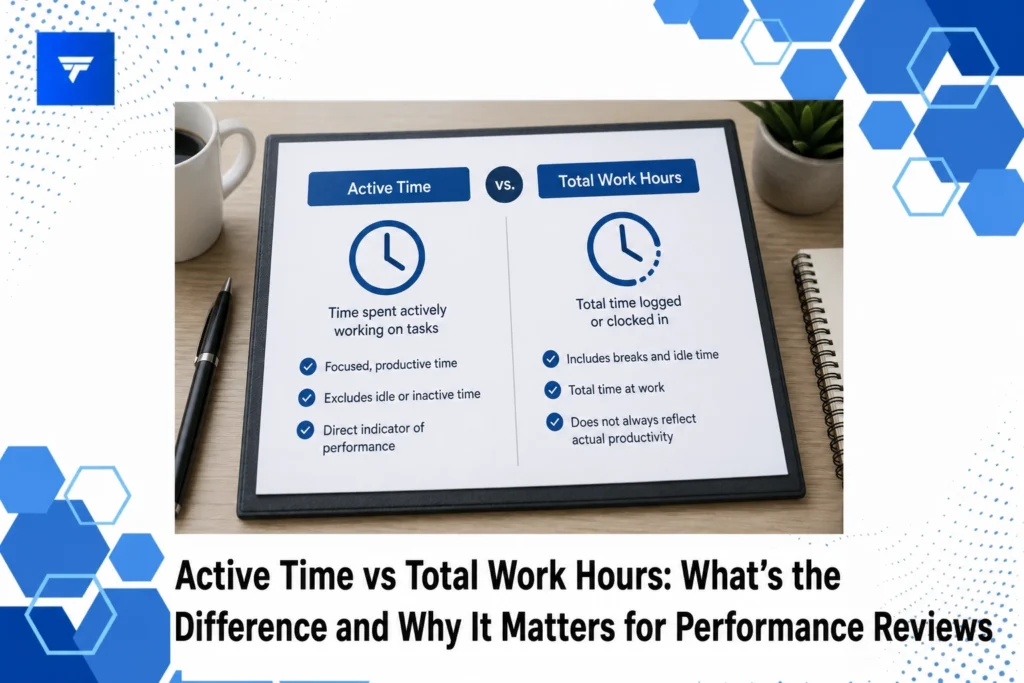
Active time refers to the duration when an employee is actively engaged in productive tasks. This metric captures periods of focused work activities that directly contribute to organizational goals. Active time specifically addresses what employees are doing and how efficiently they are accomplishing tasks relative to their responsibilities. Conversely, total work hours represent the overall time an employee spends logged in or present at work, inclusive of breaks, downtime, and non-productive intervals.
The distinction between these metrics is essential for HR professionals, managers, and team leads who need to comprehend the practical contributions of each employee. While total work hours provide a surface-level overview, they can be misleading. An employee might be clocked in for 10 hours but truly productive for only half that time. Active time gives a clearer picture of their contribution to projects and objectives.
Understanding the difference is crucial for designing key performance indicators that align with achieving business objectives. By focusing on active time rather than total work hours, businesses can implement targeted improvements and more accurately reward performance.
The Difference and Why It Matters
1. Real-Time Monitoring: TrackForce
TrackForce offers real-time monitoring capabilities that are invaluable for capturing active time. With features like live productivity graphs, you can readily assess the active engagement of employees. This is particularly useful for operations managers who require detailed insights into workforce efficiency and for HR teams looking to augment traditional review processes. Real-time monitoring helps in identifying peak productivity hours and understanding work patterns, making it an essential tool for improving performance reviews.
2. Application and Website Tracking
This feature allows organizations to track which applications and websites their employees are using during their work hours. It’s beneficial for IT directors focused on data security and productivity. Knowing the nature of applications accessed helps in determining whether employees are spending their time on work-related tasks or getting distracted by non-work sites. This feature fits organizations that prioritize accountability and need to set monitoring parameters accurately.
3. Behavioral Analytics
Smart Behavior Analytics from TrackForce provides insights into employee behavior, identifying idle times and potential workflow bottlenecks. Business owners needing comprehensive information on workforce accountability will find this feature invaluable. It aids in pinpointing performance gaps and enables the development of strategies to engage employees better. Detecting idle time ensures that reviews reflect true contribution levels.
4. Screen Recording Features
Screen recording capabilities help in documenting task execution and identifying areas for improvement. This is critical for compliance officers who need to ensure regulations are met and for instructors developing training programs. By reviewing screen recordings, companies can confirm whether time was spent efficiently or squandered on redundant tasks. This tool is a practical asset in clarifying discrepancies between perceived and actual task times.
Types / Features
TrackForce delivers a suite of features designed to collect and analyze productivity data. Role-based access permits granular control over the level of monitoring and access to reports, fitting the hierarchical needs of large organizations. The customizable monitoring rules offer flexibility, allowing managers to tailor monitoring according to project specifics or team dynamics. This ensures that monitoring practices remain relevant and focused on enhancing workplace productivity.
Email, chat, and file transfer tracking provide additional security layers by flagging unusual or unauthorized activities. These features enable IT departments to take preemptive actions to protect sensitive data and maintain compliance with industry standards. Together, these capabilities make TrackForce a comprehensive tool for both productivity enhancement and risk mitigation.
Pricing
TrackForce offers three distinctive pricing models, catering to various organizational needs. The Essential Plan, starting at $4.99 per user per month, provides access to fundamental productivity tools such as dashboard access, screenshots, and daily reports. This option is suitable for startups or small teams looking to implement basic monitoring without incurring high costs.
The Professional Plan at $9.99 per user per month includes more advanced monitoring tools like screen recording and communication tracking. Finally, the Ultimate Plan, priced at $12.99, encompasses full analytical capabilities and is ideal for larger enterprises needing comprehensive tracking for multiple teams. Understanding these pricing models helps businesses select the one that aligns with their strategic goals and budgetary constraints.
Why It Matters
Understanding the difference between active time and total work hours is increasingly critical in a hybrid and remote working world. Organizations aiming to maximize employee satisfaction need to ensure that performance reviews reflect true productivity rather than mere presence. Using tools like TrackForce, teams can gain real-time insights into active participation, allowing them to implement more equitable and effective appraisal systems.
Furthermore, with mounting pressure to maintain compliance across all processes, real-time insights can proactively support risk management strategies and safeguard sensitive data. Thus, organizations not only enhance performance evaluation methods but also strengthen their security posture. Recognizing the relevance of these metrics can lead to improved operational efficiencies and higher morale.
By shifting to active time analysis, businesses can foster a more constructive work environment where employees feel their efforts are duly recognized and rewarded. This shift also supports retention by aligning team incentives with genuine contributions, making employees more likely to engage deeply with their roles.
How It Works
Setting up TrackForce involves a simple process where the primary account holder can quickly structure organizational hierarchies and define accessibility levels. The intuitive dashboard offers a clear overview of current productivity levels and highlights any unusual patterns for further review. This setup process ensures that the tool gets to work almost instantly, collecting relevant productivity data according to predefined parameters.
Workflow integration is seamless, allowing data exports compatible with existing HR and ERP systems. Once configured, ongoing monitoring involves reviewing daily productivity summaries and analyzing detailed logs that TrackForce collects regarding employee activities. The system supports customizable reporting to fit specific organizational needs, enabling detailed scrutiny of all work-related activities.
Using TrackForce in practical scenarios means continuously syncing team goals with actual performance metrics. Operations managers and team leads can leverage insights to refine project timelines, improve allocation of resources, and enhance workforce collaboration strategies.
Conclusion
For businesses aiming to enhance the accuracy of their performance reviews and boost team effectiveness, understanding active time versus total work hours is crucial. Incorporating insights from tools like TrackForce, which provide comprehensive visibility into work activities, ensures that reviews are fair and impactful, creating a more engaged and productive workforce.
FAQs
How does TrackForce differentiate between active and idle time?
TrackForce uses a combination of app and website tracking, keystrokes, and behavior analytics to assess whether an employee is actively engaged in work-related tasks. This distinction helps in providing a clear picture of how time is being utilized during work hours. Tracking idle time also enables managers to take corrective measures and enhance team productivity.
Can screen recordings from TrackForce be used for performance reviews?
Yes, screen recordings are versatile tools that can capture the context of work activities, beneficial for both performance reviews and compliance checks. They allow managers to review specific instances of work, providing tangible evidence of task execution. This is particularly useful for verifying the contributions of remote employees.
Is it possible to customize monitoring rules in TrackForce?
Yes, TrackForce allows for customizable monitoring rules, making it possible to adjust what metrics are tracked and whom they apply to. This feature empowers managers to tailor tracking programs according to individual or team needs. It’s especially beneficial for organizations with diverse workforce dynamics.
What kind of reports does TrackForce provide?
TrackForce offers a range of reporting options, including daily productivity summaries, comprehensive app usage breakdowns, security alerts, and detailed logs of work activities. These insights help operations managers and HR teams understand performance trends and make data-driven decisions to optimize workforce management techniques.
