
How to Use File Transfer Logs to Prevent Data Leaks in Your Organization
How to Use File Transfer Logs to Prevent Data Leaks in Your Organization
Introduction
Data leaks cost companies an average of $3.86 million globally each year, according to IBM’s Cost of a Data Breach Report. This staggering figure underscores the necessity of implementing stringent security protocols, especially as organizations become more data-driven. In environments where vast amounts of data move across numerous digital touchpoints, managing these transfers with precision is crucial to avoid breaches.
Utilizing file transfer logs effectively allows businesses to pinpoint potential vulnerabilities and secure data proactively. This article explains how organizations can employ file transfer logs to avert data leaks, maintaining the integrity of their operations.
What Are File Transfer Logs?
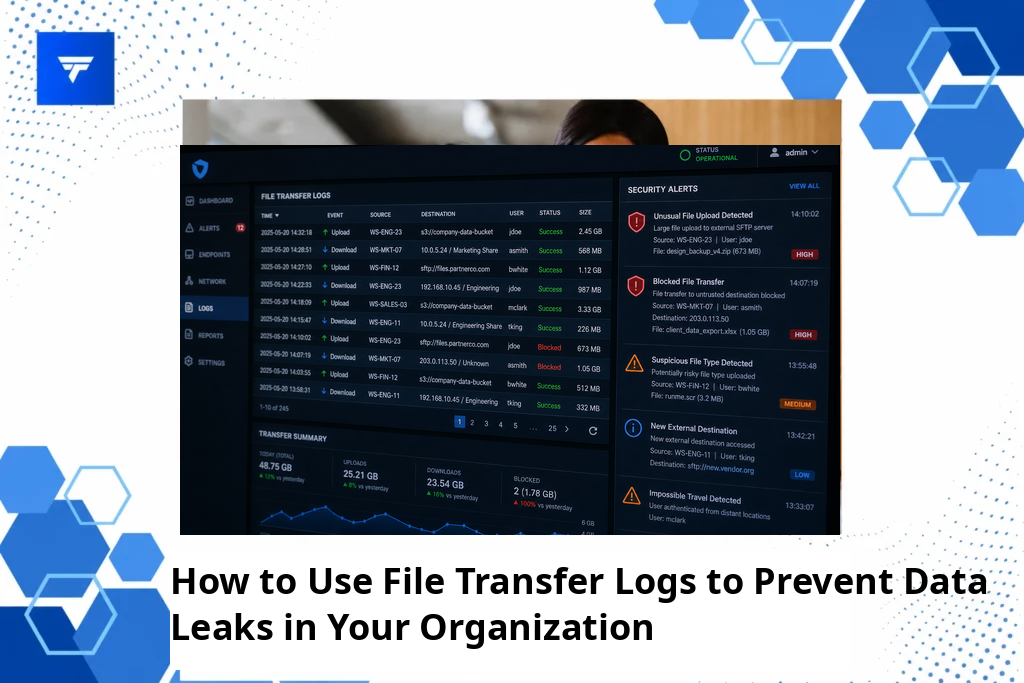
File transfer logs are digital records that track the movement of files through your organization’s network. These logs document critical details including file names, timestamps, file sizes, transfer protocols used, and the source and destination paths. Serving as a digital trail, they provide comprehensive insights into where and how data is moving within your network.
Primarily designed for IT professionals and security teams, file transfer logs help identify unauthorized or suspicious file transfers that could signal data leaks. By monitoring these details, organizations can detect and mitigate threats before any significant damage occurs. In addition to improving security, file transfer logs enhance transparency in workflows, facilitating better team communication and accountability.
How to Use File Transfer Logs to Prevent Data Leaks
Implementing the proper use of file transfer logs involves several strategic steps. Here, we detail essential methods alongside their practical applications within an organization.
1. Regular Log Audits
Regularly auditing file transfer logs is a preventive measure that allows IT teams to identify unusual patterns that may indicate data leaks. For instance, if logs reveal data transfers occurring outside of standard business hours, it may necessitate a deeper investigation. Organizations employing remote or hybrid work models can particularly benefit from frequent audits to ensure compliance and security across decentralized networks.
2. Real-Time Monitoring with Alerts
Implement solutions that offer real-time monitoring capabilities, providing immediate notifications of suspicious activities. This is particularly beneficial for teams responsible for high-stake projects or handling sensitive client information. Real-time alerts make it easier to respond quickly, reducing the risk of data being compromised. Tools such as TrackForce offer advanced monitoring options, ensuring rapid response and enhanced security.
3. Access Control Reviews
Reviewing and managing who has access to files is another critical aspect that file transfer logs can help handle. By analyzing logs to see which employees access specific files, managers can ensure that only authorized personnel have the necessary permissions. Enterprises dealing with confidential documents or intellectual property stand to benefit significantly from this practice.
4. Integrating with Other Security Tools
Combining file transfer logs with other security measures like email monitoring and data encryption creates a layered defense system. By integrating these logs with centralized platforms such as SIEM solutions, security teams can gain a holistic view of potential threats and respond efficiently. This approach supports organizations with stringent regulatory requirements, ensuring they stay compliant with industry standards.
Types and Features of File Transfer Logs with TrackForce
TrackForce provides a robust file transfer tracking feature as part of its broader suite of monitoring tools. The platform’s real-time dashboard allows administrators to observe live file transfers, providing immediate insights into any unusual activity. This feature is crucial in maintaining a secure environment, especially for industries managing sensitive data such as finance and healthcare.
Additionally, TrackForce includes app and website tracking, email and chat monitoring, and behavior analytics to offer a comprehensive security overview. These features ensure that organizations can monitor a wide range of potential data leak avenues, integrating seamlessly into existing security frameworks.
Pricing
TrackForce offers multiple pricing tiers tailored to different organizational needs, allowing businesses of varying sizes to take advantage of its features. The Essential Plan at $4.99 per user per month provides fundamental features such as dashboard access and daily productivity reports.
For businesses focusing on enhanced security, the Professional Plan at $9.99 includes file transfer tracking, email, and chat monitoring. The Ultimate Plan at $12.99 per user per month further expands capabilities with advanced risk analytics and dedicated account management, offering an all-in-one solution for larger organizations with complex security demands.
Why It Matters
In the current landscape of growing data threats, adopting a proactive approach to data security is vital. Leveraging file transfer logs enhances organizational resilience against unauthorized access and data leaks. The strategic use of these logs helps IT departments maintain oversight, ensuring all file transfers comply with company policies and regulations.
TrackForce’s robust features make it an excellent choice for companies looking to bolster their data security infrastructure. By providing real-time insights coupled with comprehensive monitoring capabilities, TrackForce assists businesses in safeguarding their sensitive information effectively.
How It Works
Setting up file transfer logs with TrackForce is straightforward. Organizations can customize monitoring settings based on their unique security needs, selecting which files and user activities to track. The system’s intuitive interface enables easy navigation and configuration, ensuring minimal setup time.
Once configured, TrackForce’s dashboard offers real-time insights into file transfers. Managers can quickly identify and analyze transfers, receiving alerts for any suspicious activities. The platform also supports detailed session recordings and productivity analytics, providing a complete picture of employee workflows.
By automating threat detection and offering centralized information access, TrackForce streamlines the process of securing file transfers, thus reducing the workload of security personnel while maintaining a high level of vigilance.
Conclusion
Preventing data leaks with file transfer logs is an essential component of modern data security strategies. By leveraging TrackForce’s comprehensive monitoring solutions, your organization can secure its data proactively. TrackForce
FAQs
What are file transfer logs used for in security?
File transfer logs are primarily used to track and record the movement of files across an organization’s network. They document critical details such as timestamps, file sizes, and access paths, acting as a digital audit trail. Security teams use these logs to identify unauthorized access or anomalies that may suggest potential data leak threats. By keeping a detailed record, organizations can quickly respond to and mitigate security breaches.
How often should file transfer logs be audited?
Auditing file transfer logs should be a regular process, typically conducted weekly or bi-weekly, depending on the organization’s size and security needs. High-security environments may require more frequent audits to ensure prompt detection of unauthorized access. Regular audits help maintain compliance with industry regulations and ensure that any unusual patterns are addressed before escalating into significant security incidents.
How can real-time monitoring with file transfer logs prevent data breaches?
Real-time monitoring provides immediate visibility into file transfers, allowing teams to detect and respond to suspicious activities instantly. By leveraging alert systems, organizations can identify atypical behaviors such as transfers during odd hours or to unverified locations. These alerts help prevent data breaches by enabling swift intervention and corrective action, thus securing sensitive information from unauthorized exposure.
Can file transfer logs be integrated with other security tools?
Yes, file transfer logs can be integrated with other security systems like SIEM platforms, enhancing an organization’s overall security posture. This integration allows for a centralized view of potential threats, making it easier to analyze and respond to them. It offers a comprehensive framework for threat detection, particularly useful in industries with stringent compliance requirements, ensuring a cohesive security strategy.
