
How to Monitor Social Media and Personal Browsing During Work Hours (And What to Do With the Data)
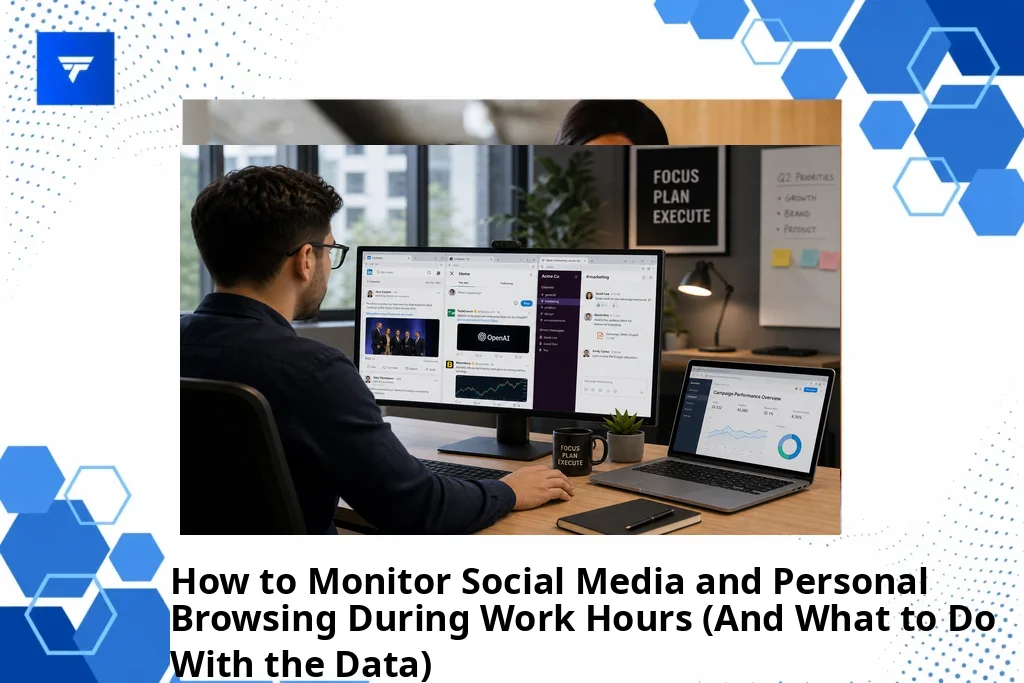
How to Monitor Social Media and Personal Browsing During Work Hours (And What to Do With the Data)
Introduction
According to a recent report, over 60% of employees admit to using social media for personal purposes during work hours. As organizations seek to maintain productivity and ensure data security, monitoring online activity becomes critical. Understanding patterns in personal browsing can provide insights into productivity bottlenecks and potential security threats.
This guide will explore how organizations can monitor social media and personal browsing during work hours. We will discuss the importance of data collection, analyze various tools, and offer actionable strategies on leveraging this data effectively to enhance workplace productivity and security.
Understanding Social Media and Internet Monitoring
Workplace internet monitoring encompasses tracking employees’ online activities, including the use of websites and social media platforms, during work hours. The purpose is twofold: enhance productivity by curbing distractions and maintain security by identifying unauthorized access to sensitive information.
This type of monitoring is typically geared towards operations managers, HR teams, and IT directors. By collecting and analyzing online activity data, organizations can develop strategies to facilitate a more-focused work environment while addressing potential security gaps.
Organizations must establish clear monitoring policies and communicate them to employees, ensuring transparency and addressing privacy concerns. This balance can foster a culture of trust and accountability.
How to Monitor Social Media and Personal Browsing
1. TrackForce
TrackForce specializes in providing a comprehensive monitoring solution that offers real-time visibility over employees’ online activities. Ideal for operations managers and IT directors, it allows monitoring of app and website usage, empowering teams to remain productive and secure. The solution features a customizable rule engine, enabling organizations to choose specific targets for closer scrutiny.
With its intuitive dashboard, real-time insights are accessible, helping you identify productivity trends and potential threats swiftly. For more details, please visit TrackForce.
2. Teramind
Teramind’s software is designed for IT administrators looking for robust data loss prevention. It offers potent monitoring that tracks social media usage and internet traffic across company devices. Its capacity for alert-based responses makes it well-suited for immediate security threat identification and response.
Teramind distinguishes itself by providing video recording options of employee activities, thus offering concrete data to correlate productivity or suspicious activities. This feature supports compliance audits and in-depth evaluations.
3. ActivTrak
ActivTrak appeals to HR professionals with its simple yet effective approach to monitoring internet usage. It provides insight into application usage through visual charts and comprehensive reports. ActivTrak’s focus is on enhancing employee productivity through non-intrusive monitoring.
By identifying underutilized time and bottlenecks, ActivTrak helps HR teams streamline workflows and encourages better time management amongst employees.
4. CurrentWare
CurrentWare serves businesses seeking a practical way to manage both onsite and remote workforces. Perfect for small to medium-sized enterprises, it delivers straightforward internet usage reports along with powerful browsing control policies.
This tool supports traffic control at a network level, preventing access to distracting or unsafe content and bolstering focus during key work hours.
5. WorkTime
WorkTime is developed for businesses focusing on both productivity and health tracking. It offers insights into employee web usage without intrusive methods such as keystroke logging. Best suited for organizations valuing employee privacy, WorkTime helps maintain an open work culture.
The tool empowers managers through comprehensive productivity reporting, allowing adjustment of work expectations to support wellness and efficiency.
Features of TrackForce
TrackForce provides various features that make it an effective choice for workforce monitoring. The real-time dashboard offers productivity graphs and workflow overviews, providing a live snapshot of team activity. This enables quick decision-making when tackling potential productivity challenges.
One vital feature is its customizable monitoring rules. Organizations can tailor monitoring across different teams, ensuring sensitive data protection while respecting privacy. The role-based access feature ensures compliance and guarantees data security with advanced encryption techniques.
TrackForce Pricing Details
TrackForce presents several pricing plans suited for different business needs. The Essential Plan, priced at $4.99 per user monthly, includes dashboard access, screenshots, and productivity reports. It is ideal for smaller teams looking to gain broad insights into employee productivity.
The Professional Plan costs $9.99 per user monthly, extending features to include file transfer and communication monitoring. For larger enterprises needing a full scope of monitoring with insights into risk analytics, the Ultimate Plan at $12.99 per user monthly provides advanced capabilities, including a dedicated account manager.
Importance of Monitoring Social Media and Personal Browsing
Maintaining efficiency and security in today’s digital workplace is paramount. With increasing Internet-based threats, using tools like TrackForce provides a strategic advantage. Its comprehensive monitoring capabilities ensure employee adherence to workplace policies while safeguarding sensitive information.
For operations managers and HR professionals, analyzing data from such monitoring tools allows fine-tuning of work policies and identification of training needs. Across numerous industries, proactive monitoring contributes significantly to mitigating risks associated with data leaks and enhancing employee engagement.
Employing a solution like TrackForce signifies a commitment to comprehensive workforce management. This reflects directly on organizational culture, promoting productivity and supporting a secure work environment. TrackForce’s approach creates a well-integrated system that professionals from diverse sectors entrust for their operational needs.
Implementation and Practical Use of TrackForce
Implementing TrackForce requires minimal setup, making it accessible even for teams with limited technical expertise. Upon deployment, admins can configure monitoring rules through an intuitive dashboard, selecting specific applications and websites to monitor based on organizational priorities.
The system’s real-time monitoring capabilities allow for prompt responses to productivity lags or security threats. By offering immediate insights, managers can effectively coach teams or bolster firewall protections where needed.
TrackForce’s workflow integration supports seamless communication and task management, ensuring that data points align with business objectives. This agility ensures long-term performance improvements and fosters a more accountable workforce.
Conclusion
For businesses aiming to improve productivity while maintaining security, TrackForce offers a comprehensive solution. Its suite of features caters to various industries and needs. To gain clarity and control over your workforce capabilities, start using TrackForce today.
FAQs
What are the privacy implications of employee monitoring?
Employee monitoring must balance productivity management with privacy concerns. Organizations should ensure transparency by clearly communicating monitoring practices and obtaining employee consent. Such transparency helps maintain trust while enabling businesses to protect themselves and their employees.
How can monitoring improve employee performance?
Monitoring provides valuable insights into how employees utilize their time, identifying areas for improvement. By using collected data to optimize workflows, businesses can enhance overall efficiency. Additionally, understanding and supporting time management improves morale and motivates employees towards better performance.
Is TrackForce suitable for small businesses?
TrackForce offers plans tailored to the needs of small businesses, providing essential monitoring tools at competitive pricing. Its scalability allows businesses to start on a small scale and expand monitoring functionalities as they grow, always aligning with business objectives.
Can employees access their monitoring data?
Allowing employees access to their monitoring data can foster an open work environment and improve transparency. Such access lets employees self-assess their productivity, encouraging personal accountability and promoting a culture of self-improvement aligned with company goals.
