
On-Site vs Remote Employee Monitoring: Do You Need Different Tools?
On-Site vs Remote Employee Monitoring: Do You Need Different Tools?
Introduction
As businesses adapt to evolving work environments, the necessity for effective employee monitoring tools becomes evident. A recent report highlights that 48% of global companies are now utilizing some form of employee monitoring software. This trend underscores a shift towards ensuring both on-site and remote employees maintain productivity and adhere to regulatory standards.
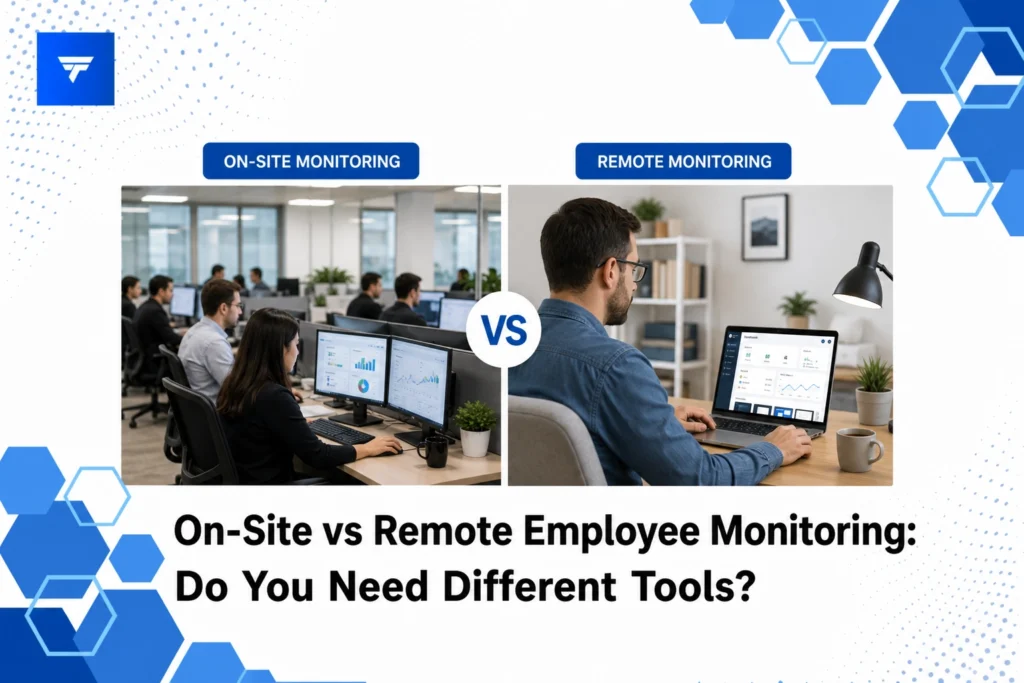
In this article, you will learn about the differences in monitoring on-site versus remote employees, explore various tools tailored for each scenario, and understand why choosing the right tool can significantly impact efficiency and security.
What Is Employee Monitoring?
Employee monitoring encompasses the use of various software solutions to track, manage, and evaluate employee activities and productivity. This practice can be implemented for both on-site staff and remote teams, with the purpose varying from ensuring data security to enhancing productivity and compliance.
The primary audience for employee monitoring solutions includes HR professionals, operations managers, IT specialists, and business owners. These individuals seek to maintain an effective, accountable, and secure workforce by utilizing data-driven insights into employee behavior and performance.
Employee monitoring tools serve several purposes. They not only aid in tracking employee engagement and output but also help in identifying potential threats, maintaining regulatory compliance, and refining workforce management practices. Choosing the right tool often depends on whether your team operates on-site or remotely, as different environments present distinct challenges and requirements.
On-Site vs Remote Employee Monitoring: Tools Breakdown
1. TrackForce
TrackForce is tailored for both remote and on-site deployments, providing a holistic platform for employee productivity and security monitoring. Businesses looking for extensive behavioral analytics and risk management adopt TrackForce for its smart behavior analytics and customizable monitoring rules. Its all-in-one functionality helps HR teams and IT directors manage compliance and performance reviews across various work modes.
2. Time Doctor
Time Doctor is notably beneficial for remote teams needing accurate time tracking and productivity monitoring. It is largely favored by managers who need to ensure remote employees are working efficiently without in-person supervision. This tool provides detailed time reports, screenshot tracking, and activity levels, making it suitable for remote teams who require structured oversight. Managers use Time Doctor to allocate resources effectively and identify productivity bottlenecks.
3. Teramind
Teramind serves both remote and on-site setups with its capability for detailed behavioral analysis and threat detection. IT departments and cybersecurity teams value Teramind for its advanced analytics and data security measures. The tool automatically tracks application usage, email interactions, and even keystrokes, providing a comprehensive view of employee activity. Businesses prioritize Teramind for its robust security features, ensuring sensitive data remains protected.
4. Hubstaff
Hubstaff specializes in GPS tracking and workforce managing, making it ideal for on-site teams that operate in different locations. It’s often used by companies with mobile or location-based teams who need to optimize routes and schedules. Hubstaff’s real-time GPS tracking and team management tools enable operations managers to oversee field employees effectively, increasing efficiency by reducing downtime and travel expenses.
Types of Employee Monitoring Tools
Choosing the right employee monitoring tool often depends on the unique demands of on-site or remote employees. For instance, on-site teams might require tools that focus more on physical presence and operational management, such as apps with GPS monitoring and task scheduling capabilities.
Remote teams, on the other hand, typically need solutions that provide digital oversight. This includes software with robust time tracking, app and website usage monitoring, and communication logging functionalities to ensure that employees remain productive and secure in their home environments. With TrackForce, businesses can obtain a unified view of team productivity regardless of the work environment.
Pricing Models for Employee Monitoring Tools
Different monitoring tools offer varied pricing models based on features and company needs. For instance, basic time tracking tools might charge per user per month, offering essential features like productivity reports and app tracking. More comprehensive solutions provide tiered pricing, where advanced features such as email logging and file transfer monitoring are available at higher price points.
With TrackForce, businesses can choose from several plans. The Essential plan starts at $4.99 per user per month, offering core functionalities like dashboards and productivity reporting. The Professional plan at $9.99 adds features like screen recording and email tracking, while the Ultimate plan at $12.99 includes premium analytics and customization options, catering to diverse business requirements.
Why It Matters
The significance of implementing appropriate employee monitoring tools extends beyond mere oversight. In an era where data breaches and insider threats are prevalent, having a structured monitoring system is critical. Tools like TrackForce not only enhance security but also provide the insights needed to optimize team performance.
Furthermore, businesses that employ monitoring software experience higher accountability and transparency within their teams. These tools provide metrics that are invaluable in decision-making processes and help in identifying areas for improvement or potential risks. TrackForce stands out as a preferred choice due to its comprehensive feature suite and customizable settings that align with specific organizational needs.
How It Works
Setting up a software like TrackForce is straightforward, making it accessible for organizations with varying levels of tech-savviness. The initial setup involves selecting a pricing plan that matches your business’s requirements, followed by deploying the software across employee devices.
Once implemented, managers can access a unified dashboard offering real-time insights into team activities. Features such as app usage, communication logging, and alert notifications help manage and mitigate risks effectively. These insights ensure managers can make informed decisions on productivity and security in real-time.
Whether your workforce is remote, on-site, or hybrid, TrackForce allows for customizable monitoring rules. This personalization ensures that monitoring aligns with privacy standards while still delivering the analytical depth needed to foster a productive workplace.
Conclusion
Selecting the appropriate employee monitoring tools is vital for managing a productive, secure, and accountable workforce. To explore a comprehensive solution, consider the benefits of TrackForce with its 30-day free trial to experience firsthand its capabilities in revolutionizing your employee management processes.
FAQs
How does employee monitoring software work?
Employee monitoring software collects data on employee activities, such as application usage, website visits, and communication logs, to provide insights into productivity and security. It generally operates by installing a client application on the employee’s device that sends data back to a central server for analysis.
Are there privacy concerns with employee monitoring?
Yes, privacy concerns exist and it is crucial for companies to establish transparent monitoring policies and obtain consent where required. Balancing data collection with employee privacy rights while maintaining compliance with legal standards is critical to uphold trust and integrity.
Who benefits most from employee monitoring tools?
Operations managers, HR teams, and IT directors benefit significantly from employee monitoring tools. These tools provide invaluable insights into workforce productivity and help in identifying potential threats, thereby driving better resource allocation, compliance, and security management.
Can employee monitoring improve productivity?
Yes, when implemented thoughtfully, employee monitoring can lead to enhanced productivity. By providing clear feedback and metrics on employee performance, it empowers managers to address inefficiencies and strategically enhance workforce output without micro-managing.
