
How to Track Employee Screen Activity Without Micromanaging
How to Track Employee Screen Activity Without Micromanaging
Introduction
In today’s business climate, almost 70% of companies have transitioned to a hybrid or fully remote work model. This shift has highlighted the need for employers to have a clear understanding of employee productivity without crossing the line into micromanagement. Balancing these interests is tricky, but crucial for both company performance and employee satisfaction.
Employers seek ways to ensure productivity is at its peak, while employees desire autonomy and trust. Tracking screen activity is part of the solution, but it must be executed thoughtfully to avoid feelings of surveillance. This post will guide you through effectively monitoring screen activity while maintaining a respectful and trust-based work environment.
What Is Employee Screen Activity Tracking?
Employee screen activity tracking involves monitoring what employees are doing on their computers during work hours. This can include tracking the applications and websites they use, the emails they send, and the files they transfer. The purpose of this tracking is to gather insights on productivity, compliance, and security.
The concept exists primarily for companies with large remote workforces that need documentation of work output and activity. It is crucial for compliance-driven industries where there is a high need for data integrity and audit trails. While beneficial if implemented correctly, it must cater to employee privacy and foster an environment of trust.
How to Track Employee Screen Activity Without Micromanaging
Finding the right balance between effective monitoring and respecting employee autonomy can be challenging. Employee monitoring software like TrackForce can be an instrumental tool in achieving this. It provides insights into employee productivity without overreaching. By using customizable monitoring rules, employers can concentrate on essential metrics while avoiding unnecessary invasions of privacy.
With tools that enable role-based access and customizable monitoring, your team can ensure data security without seeming intrusive. By tracking relevant data like application usage and file transfers, businesses can maintain oversight and protect assets without resorting to micromanagement.
Types of Monitoring Widgets
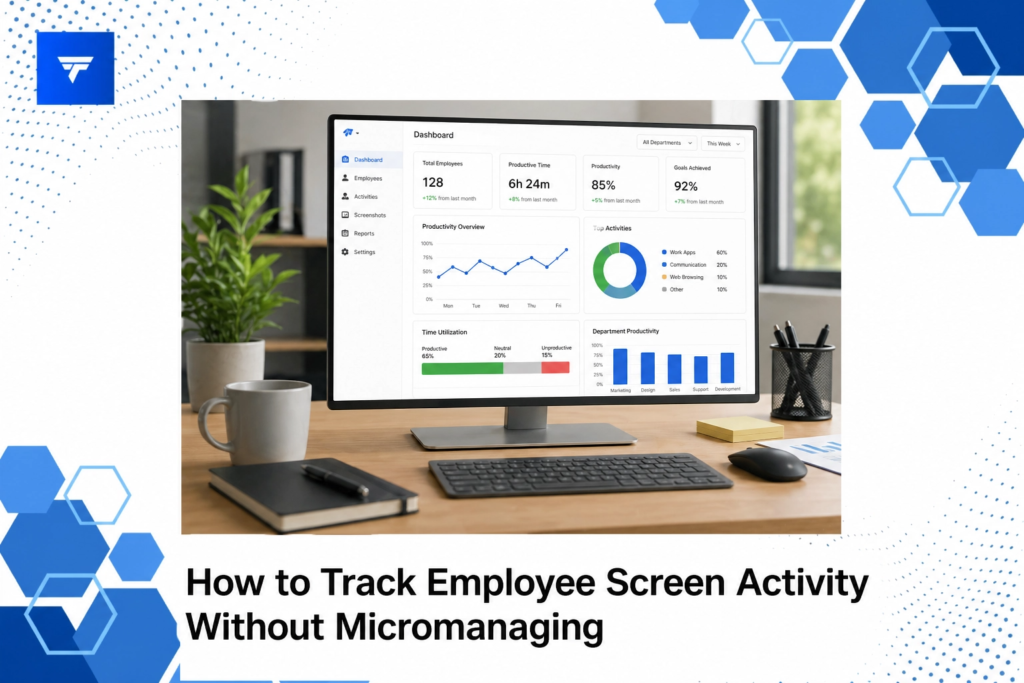
Monitoring software offers a range of widgets and features designed to capture specific data points for evaluation. Applications such as productivity dashboards provide overviews of work trends, while app and website tracking widgets monitor specific program usage, ensuring employees focus on business-critical applications.
Additionally, email and chat monitoring widgets record communication patterns to ensure they are in line with company policies. Screen recording widgets can capture video of on-screen activity for later review, empowering teams to perform post-activity evaluations and reviews discreetly.
Pricing
The pricing for employee monitoring software can vary by features and scalability. For instance, TrackForce has multiple pricing plans to accommodate different organizational needs. The Essential Plan is priced at $4.99 per user per month and includes access to fundamental functions like dashboards and app tracking. The Professional and Ultimate Plans offer more advanced features at $9.99 and $12.99 per user per month, respectively.
This tiered pricing model ensures that companies can select the plan that best meets their needs, with options to scale up as their requirements grow. With features like file transfer tracking and advanced risk analytics, even the most complex needs are catered for without overspending.
Why It Matters
The necessity for effective employee monitoring tools has never been greater. With increasing amounts of data breaches and remote work, companies must bolster security and accountability measures. Traditional methods are often intrusive, causing unrest and dissatisfaction among employees. This approach often leads to headaches in the form of turnover and reduced morale.
TrackForce offers a non-intrusive, customizable monitoring solution. This software respects employee privacy while providing managers with the necessary insights. Operations managers, HR teams, and IT directors can benefit from the real-time data this system provides, supporting a broad array of business aims, from auditing to optimizing remote workforce productivity.
As companies continue to embrace flexibility, solutions like TrackForce present a superior choice. They balance security, productivity, and autonomy, ensuring that businesses can grow without sacrificing employee trust.
How It Works
To get started with employee monitoring using TrackForce, companies first need to define what their monitoring objectives are. Are they looking to enhance productivity, secure data, or both? Once clear objectives are outlined, setting up the system is straightforward. The software dashboard offers a unified view, allowing for quick configuration and setup.
The setup includes defining which applications and websites to track, configuring thresholds for alerts, and setting privacy guidelines. The live dashboard provides immediate insights, while more detailed reports give comprehensive overviews over time.
Training sessions for managers and staff ensure everyone understands what is being tracked and why. Reports from the software can be used for performance reviews and to identify areas for improvement, all without micromanaging.
Conclusion
Understanding how to effectively monitor employees without micromanaging is crucial for business success in a remote setting. TrackForce provides a sophisticated yet respectful method to do so. Consider starting with a 30-day free trial by visiting trackforce.io and see how it can work for your team.
FAQs
Is employee screen monitoring legal?
Yes, employee screen monitoring is legal in many jurisdictions, but it often requires employee consent and should adhere to privacy policies and regulations. Companies should consult legal counsel to ensure compliance with local laws.
How do employees typically respond to monitoring software?
Responses can vary. Transparency and clear communication about the purpose and benefits of monitoring can foster acceptance. Employees are more likely to respond positively if they understand monitoring aims to enhance productivity and security, not control individual behaviors.
Can monitoring software affect employee morale?
If implemented poorly, monitoring software can indeed affect morale. However, with a thoughtful approach that respects privacy and involves employees in discussions about monitoring policies, it can help improve trust and accountability without negative impacts on morale.
What types of businesses can benefit from employee monitoring software?
Virtually all types of businesses can benefit, particularly those with remote or hybrid teams. Industries that are heavily regulated or require strict data security measures find these tools indispensable for maintaining compliance and performance standards.
