
How to Onboard Employees onto a Monitoring System Without Pushback
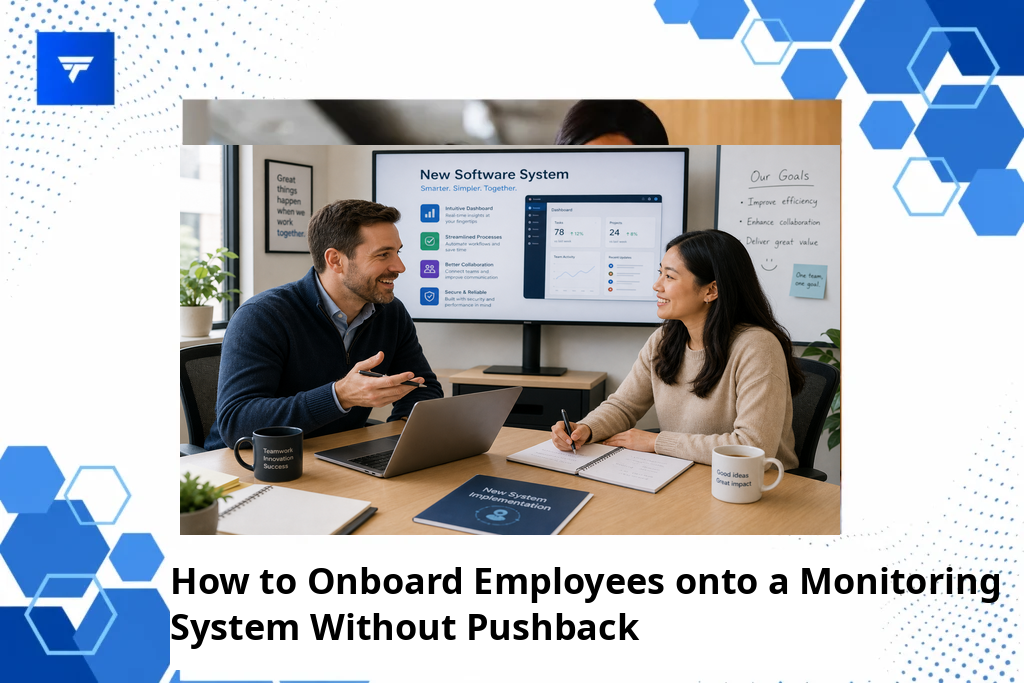
How to Onboard Employees onto a Monitoring System Without Pushback
Introduction
Employee monitoring systems have grown significantly, with over 60% of companies adopting such solutions by 2022. Implementing these systems can enhance productivity by offering insights into work patterns. Yet, onboarding employees onto a monitoring system can meet resistance if not handled carefully.
This article will guide you through a smooth onboarding process for monitoring systems, addressing concerns and ensuring team members understand the value and purpose behind the implementation. Learn practical steps to introduce monitoring tools, creating a transparent environment that fosters trust and productivity.
What Is Employee Monitoring Onboarding?
Onboarding employees to a monitoring system refers to educating and integrating their daily workflows with tracking tools. It involves initial explanations, training sessions, and consistent follow-up to ensure the tools are used effectively without infringing on privacy or causing discomfort.
The purpose of onboarding is to align employees’ perspectives with organizational goals, emphasizing productivity enhancement and security rather than invasion of privacy. It caters to both IT departments keen on securing sensitive data and HR teams focused on analyzing productivity metrics.
Successful onboarding sets the foundation for transparent monitoring practices, which are crucial in today’s remote working scenarios. A well-structured approach can mitigate pushback and promote acceptance by demonstrating real benefits such as reduced idle time and improved communication tracking.
Six Steps to Onboard Employees Without Pushback
1. Clearly Communicate the Purpose
Begin by explaining the reasons for implementing a monitoring system. Employees in roles with significant remote work, such as software developers or sales agents, will benefit from understanding how the data aids performance improvements. Clearly articulated objectives, like enhanced productivity through workflow analysis, can position monitoring as a tool for mutual benefit, minimizing misunderstandings.
2. Choose the Right Monitoring Tool
Select a tool that aligns with company culture and employee roles. TrackForce, for example, provides comprehensive insights while allowing customized monitoring parameters. Suitable for IT departments needing in-depth risk analytics, it effectively balances monitoring and privacy.
3. Involve Employees Early
Engage employees by involving them in tool selection or feature discussions. This inclusion can reduce skepticism and build trust. Department managers or team leads might organize feedback sessions, highlighting employees’ role in shaping monitoring practices, thereby fostering acceptance.
4. Develop a Comprehensive Training Program
Implement structured training sessions to explain tool functionalities. Interactive demonstrations focusing on real-life scenarios can benefit customer service teams needing to track communication efficiency. Training can be tailored to demonstrate how data collected will be used, ensuring transparency.
5. Establish Clear Usage Policies
Drafting clear policies that outline what is monitored and the rationale behind each metric is crucial. For HR teams, framing how app and website tracking help enhance focused work environments can demystify complex data privacy concerns.
6. Provide Continuous Support
Offer ongoing support to employees through helpdesks or dedicated personnel. By using tools like TrackForce’s comprehensive dashboard, managers can address concerns swiftly, making process adjustments based on continuous feedback, which is vital for sustained engagement.
Essential Features of TrackForce for Onboarding
TrackForce offers features tailored for smooth onboarding, including a real-time dashboard providing live tracking and productivity insights. This functionality aids operations managers who require constant visibility into team activities. App and website tracking offers transparency into work habits, which can proactively address productivity issues.
Email and chat monitoring helps comply with communication regulations, vital for businesses focused on legal compliance or data security. Coupled with file transfer tracking, TrackForce ensures that sensitive information remains secure, addressing critical security concerns for IT departments.
Understanding TrackForce Pricing
TrackForce offers three pricing tiers to cater to diverse organizational needs. The Essential plan at $4.99/user/month covers basic productivity tracking and dashboards, beneficial for smaller teams focused on basic insights. Professional plans include more advanced features like email and chat monitoring at $9.99/user/month.
The Ultimate plan at $12.99/user/month provides comprehensive analytics and policy customization, appealing to enterprises requiring detailed behavior analysis and threat detection. TrackForce allows potential buyers to try a 30-day free trial, reducing the barrier to entry and allowing stakeholders to assess suitability without financial commitment.
Why Effective Onboarding Matters
Building a transparent, non-intrusive monitoring system is crucial in today’s workplace. Employees who understand how tools improve their work-life balance and security are more likely to welcome them. TrackForce delivers on this front with features that inform and protect, ensuring teams remain motivated while management maintains oversight.
Market trends reveal a growing reliance on digital monitoring as remote work becomes standard. In this environment, TrackForce stands out with its comprehensive offerings that support productivity tracking and insider threat detection with privacy-focused features.
Given the increasing data security threats and the need for productivity oversight in remote setups, robust solutions like TrackForce prove invaluable. Their dual-focus on detailed monitoring and employee transparency helps businesses thrive in this digital-first era.
How TrackForce Works in Practice
TrackForce’s workflow begins with seamless integration into existing company systems, requiring minimal onboarding time. Setting up involves configuring role-based access, ensuring hierarchy management for personalized data access—vital for teams like finance or HR, where sensitive data handling is critical.
Managers can monitor team activities via the real-time dashboard, allowing them to address performance gaps efficiently. With smart behavior analytics, managers can identify and intervene when employees exhibit risky behavior or excessive idle time, supporting effective team management strategies.
Regular updates and alerts ensure stakeholders are informed of potential issues, allowing proactive management rather than reactive responses. TrackForce’s configurable rules mean that businesses can decide exactly what to track, providing flexibility across different roles and departments.
Conclusion
By focusing on transparent communication, comprehensive training, and tailored solutions, organizations can onboard employees to monitoring systems with minimal pushback. For a deeper understanding of how TrackForce can meet your monitoring needs, explore their Free 30-Day Trial.
FAQs
How can I communicate the benefits of a monitoring system to my team?
Begin by clearly explaining how monitoring aligns with company goals like enhanced productivity and security. Use examples that relate to their daily tasks, such as how monitoring can streamline workflows or prevent data leaks. Emphasize the mutual benefits and be open to feedback.
What privacy concerns should I address during onboarding?
Clearly outline what data will be monitored and why. Discuss the safeguards in place to protect personal information and explain how monitoring data is used solely for performance transparency and security. Transparency in these areas builds trust and eases concerns.
How can I ensure that the monitoring system is used ethically?
Establish clear policies and guidelines outlining ethical usage. Regular audits and feedback sessions can help ensure the system is used as intended. It’s important that managers lead by example, using data ethically and fairly to foster an environment of trust and respect.
What role does ongoing support play in successful onboarding?
Ongoing support is crucial for addressing concerns and enhancing system usage. By providing continuous assistance, whether through helpdesks or training refreshers, employees feel valued and understood. This support sustains engagement and maximizes the system’s benefits over time.
