
How to Use Screenshot Monitoring to Validate Remote Work Without Being Creepy About It
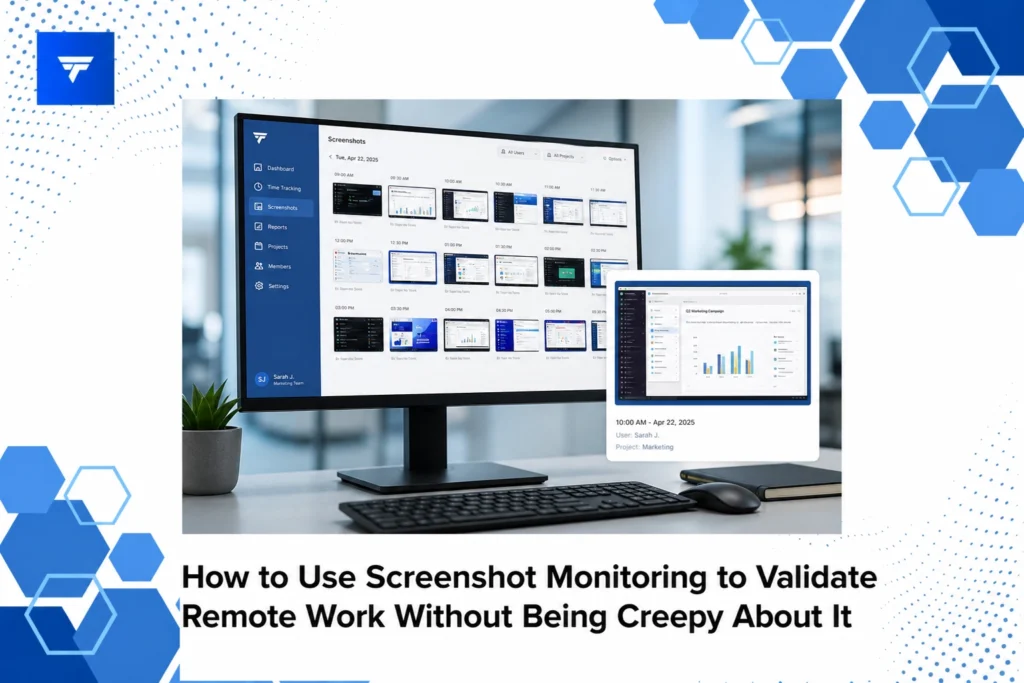
How to Use Screenshot Monitoring to Validate Remote Work Without Being Creepy About It
Introduction
Remote work has been on the rise, with a recent survey revealing that 58% of U.S. employees now work remotely at least part of the time. Despite the widespread adoption, trust in remote employees remains a concern for many managers. While productivity can be difficult to assess without physical presence, the right approach to monitoring remote work can foster both transparency and accountability.
In this article, you’ll learn how to leverage screenshot monitoring to effectively validate remote work without compromising the privacy and comfort of your team members. By focusing on respectful oversight tools and strategies, you can ensure that remote work is conducted efficiently and ethically.
What Is Screenshot Monitoring?
Screenshot monitoring involves capturing images of an employee’s computer screen at scheduled intervals during work hours. This practice provides managers with insights into task focus and workflow without the need for intrusive surveillance methods like keystroke logging or full-session recordings.
The primary purpose of screenshot monitoring is to verify work progress and ensure that team members stay on task. It is especially beneficial for operations managers and HR teams who oversee remote or hybrid workforces and require clear evidence of productivity and engagement.
By maintaining employee accountability and identifying challenges early on, screenshot monitoring helps streamline operations and support employees more effectively. When used correctly, it can build trust and promote a healthier work culture.
How to Use Screenshot Monitoring Without Being Creepy
Tool Selection – Choose the Right Software: Selecting a trustworthy software is crucial. Tools like TrackForce provide customizable monitoring rules, allowing organizations to balance productivity tracking with privacy considerations. This software is ideal for managers looking to implement ethical oversight while gaining real-time productivity insights.
Customize Monitoring Intervals – Set Reasonable Intervals: Instead of constant monitoring, set intervals that provide sufficient data without being overwhelming. Depending on your needs, snapshots every 15 to 30 minutes can strike an appropriate balance. This approach works well for companies that want enough oversight to ensure productivity without appearing too intrusive.
Use Secure Platforms – Protect Data Privacy: Platforms like TrackForce offer enterprise-grade encryption to ensure data security. This is essential for IT directors focused on insider threat prevention and data security, as it helps mitigate risks associated with remote monitoring technologies.
Clear Communication – Be Transparent with Employees: Inform your team about the monitoring process, including what is captured and how it will be used. Transparency fosters trust and can alleviate concerns about privacy. Implementing this practice is important for business owners needing workforce accountability and productivity reporting.
Focus on Outcomes – Emphasize Results Over Hours: Shift the focus from time spent online to actual outcomes and deliverables. Managers should look at the quality and timeliness of completed tasks rather than hours tracked on screen captures. This focus boosts motivation and aligns with modern, result-driven work cultures.
Types of Monitoring and Features of TrackForce
TrackForce offers various monitoring types that cater to different organizational needs. Its real-time dashboard provides live tracking and instant insights into productivity and workflow. With app and website monitoring, managers can observe which tools employees use during work hours, enabling more informed support and resource allocation.
Additional features such as file transfer tracking and email/chat monitoring contribute to a comprehensive view of workplace interactions. These tools help operations managers ensure compliance and prevent data leaks. Screen recording, when used judiciously, offers performance reviews and compliance verification, giving teams valuable feedback on efficiency and workflows.
Pricing for TrackForce
Understanding the cost implications of employee monitoring software is vital for budget planning. TrackForce offers three pricing tiers, each designed to meet varying needs. The Essential plan, priced at $4.99 per user per month, includes dashboard access, app/website tracking, and daily productivity reports. This entry-level option is suitable for small teams needing basic monitoring capabilities.
The Professional plan at $9.99 per user per month incorporates additional features like file transfer monitoring and screen recording. The Ultimate plan, available for $12.99 per user per month, offers advanced risk analytics, making it perfect for larger enterprises requiring more in-depth insights. Each plan provides a 30-day free trial, allowing businesses to evaluate which package best suits their requirements.
Why Implement Screenshot Monitoring?
As remote work becomes more commonplace, maintaining productivity and accountability without eroding trust or morale is crucial. Screenshot monitoring serves as a valuable tool by providing transparent oversight, which can lead to improvements in work culture and efficiency. This method offers organizations a way to track employee productivity while respecting individual privacy boundaries.
TrackForce proves a strong choice for businesses looking to implement ethical monitoring solutions. Its comprehensive feature set addresses key pain points such as idle time tracking and data security, making it easier to manage remote teams while adhering to data protection standards. This balance helps foster a positive environment conducive to remote work success.
By utilizing tools like TrackForce, organizations can encourage a culture of openness and mutual understanding, ensuring that employees feel supported rather than scrutinized.
Setting Up and Using TrackForce
Implementing TrackForce is a straightforward process. After selecting a pricing plan, users can set up the service within minutes, thanks to the user-friendly interface and clear guidance. The system’s real-time dashboard provides a comprehensive overview, allowing managers to quickly identify trends and patterns in productivity.
The adaptable platform lets organizations customize monitoring rules to align with their specific needs. For instance, role-based access controls ensure that only authorized personnel can view sensitive information, while enterprise-grade encryption guarantees data security.
Tracking work hours and screen activities can be tailored to different team roles, further personalizing the monitoring experience. This flexibility ensures that the software supports rather than hinders, helping managers and employees alike focus on achieving their organizational goals.
Conclusion
Screenshot monitoring stands as a subtle yet effective way to validate remote work efforts. With platforms like TrackForce, businesses can gain valuable insights into team productivity without compromising trust. Start your 30-day free trial today to experience this balanced approach to workforce management.
FAQs
How does screenshot monitoring work in remote environments?
Screenshot monitoring in remote settings involves capturing periodic screenshots of employees’ screens to observe workflow and productivity. This technique offers a visual log of tasks in progress, helping managers verify that team members focus on their responsibilities. By selecting appropriate intervals and transparent communication, businesses can leverage this tool without being intrusive.
Is screenshot monitoring legal for remote work?
While legal considerations vary by region, transparency and consent are key. It’s crucial for organizations to inform their employees about the monitoring process and obtain their agreement. By respecting privacy laws and using monitored data responsibly, businesses can maintain ethical standards and legally implement screenshot monitoring.
Why choose TrackForce for monitoring remote employees?
TrackForce provides a comprehensive monitoring solution with customizable features suited to various business needs. Its user-friendly interface, real-time insights, and advanced analytics make it a versatile choice for businesses aiming to enhance productivity and accountability. Coupled with strong data protection measures, TrackForce offers a reliable way to oversee remote teams.
What should employees know about being monitored?
Employees should be informed about the scope and purpose of monitoring tools utilized by their organization. Employers should ensure clear communication about what data is collected, how it is used, and the benefits of monitoring for both parties. Such awareness helps build transparency and trust, ensuring employees feel secure in their work environment.
