
Daily Reports vs Monthly Reports: When Should Managers Use Each?
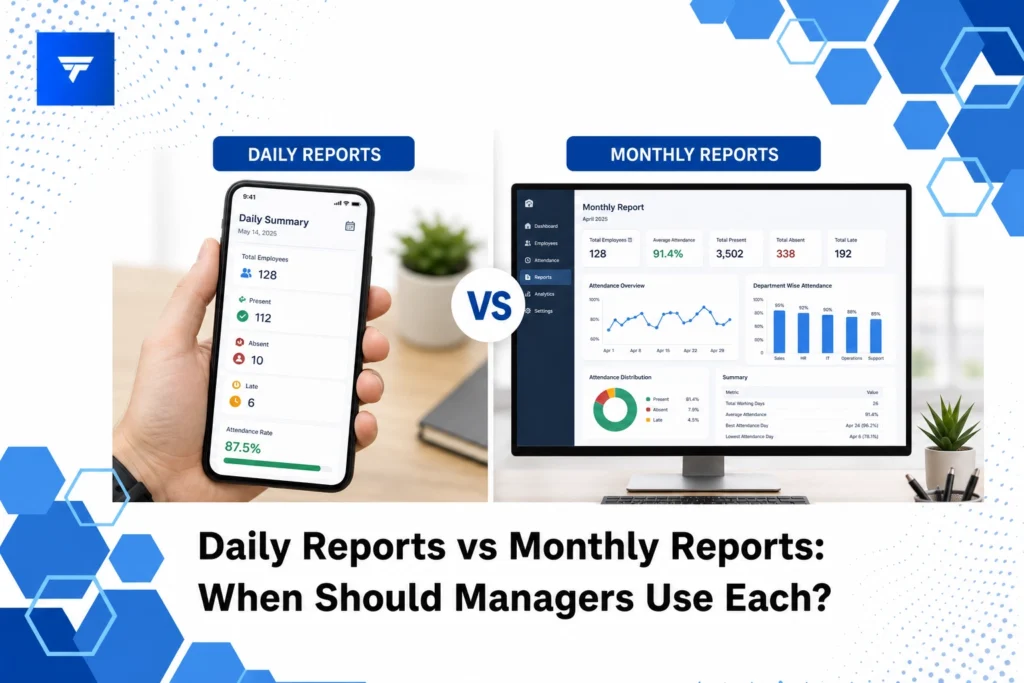
Daily Reports vs Monthly Reports: When Should Managers Use Each?
Introduction
In the rapidly evolving business landscape, decision-making accuracy hinges on timely and relevant data. According to a survey by Deloitte, companies that adopt data-driven strategies are five times more likely to make effective decisions. As organizations grapple with vast quantities of information, understanding the right reporting frequency becomes essential. Daily reports provide up-to-the-minute insights, while monthly reports offer a broader perspective, each serving unique purposes.
This article will explore the nuances between daily and monthly reports, helping managers determine when to deploy each for maximum impact. We will delve into the distinct features of both report types and examine how tools like TrackForce can enhance the reporting process, ensuring complete visibility and efficiency.
What Are Daily and Monthly Reports?
Daily reports serve as a dynamic snapshot of business activities, providing managers with immediate insights into operational performance. For industries like retail or hospitality, where changes occur rapidly, these reports highlight sales trends, inventory levels, and customer feedback, enabling swift corrective actions. Managers benefit from identifying issues such as stock shortages or staffing inefficiencies before they escalate.
Monthly reports, on the other hand, focus on aggregating data over a longer period, presenting a comprehensive overview of business health. They cater to strategic decision-making, offering insights into trends, growth patterns, and overall performance metrics. Executives and upper management utilize monthly reports to assess financial health, track progress against monthly objectives, and plan for future initiatives.
Understanding the audience and purpose of each report type ensures data is both relevant and actionable, empowering managers to make informed decisions that align with organizational goals.
Daily Reports vs Monthly Reports: When to Use Each
1. Daily Reports: Real-Time Sales Analysis
For sales teams, real-time data is crucial. Daily reports allow sales managers to track quota achievements, identify high-performing products, and monitor individual employee contributions. In competitive markets, immediate access to this information can help adjust sales strategies and allocate resources efficiently. Daily insights into customer behavior enable quick adaptation to market demands, ensuring sales teams meet objectives consistently.
2. Monthly Reports: Strategic Financial Planning
Financial managers lean heavily on monthly reports to evaluate financial performance and strategize for future growth. These reports provide a complete financial snapshot, including revenue streams, expense tracking, and budget variances. A monthly overview aids in recognizing financial trends and informs decisions on budgeting and resource allocation, ensuring alignment with long-term financial goals.
3. Daily Reports: Employee Productivity Monitoring
In remote work settings, daily reports offer critical insights into employee productivity. Tools like TrackForce monitor user activity, tracking app and website usage to ensure employee productivity remains consistent. Managers can quickly identify areas of inefficiency, making it easier to implement support or training initiatives to enhance performance.
4. Monthly Reports: Performance Review and Goal Setting
HR teams and department leaders use monthly reports to conduct comprehensive performance reviews. These reports consolidate employee performance metrics, enabling managers to set realistic goals and objectives. By assessing monthly achievements, managers can tailor development plans and reward systems, fostering a culture of continuous improvement and motivation.
Types and Features of Reporting Tools
Advanced reporting tools like TrackForce provide a range of features that cater to both daily and monthly reporting needs. The real-time dashboard offers continuous updates, showing productivity graphs and workflow overviews. This feature is particularly beneficial for operations managers who need immediate feedback on team activities.
The app and website tracking functionality ensures precise monitoring of employee activities. By tracking email and chat correspondence, as well as file transfer movements, TrackForce aids in maintaining security and compliance, addressing the needs of IT directors focused on insider threat prevention.
Pricing
Understanding the cost associated with implementing effective reporting tools is crucial. TrackForce offers several pricing models to accommodate different organizational needs. The Essential plan at $4.99/user/month includes fundamental features such as dashboard access and daily productivity reports, catering to small businesses needing basic tracking capabilities.
The Professional plan, priced at $9.99/user/month, builds on this by adding file transfer and communication monitoring. For enterprises requiring comprehensive oversight, the Ultimate plan at $12.99/user/month provides advanced analytics and dedicated management support, ensuring robust reporting capabilities across all operations.
Why It Matters
Incorporating versatile reporting mechanisms is vital for maintaining a competitive edge. Efficient use of daily and monthly reports allows managers to address immediate operational needs while planning strategically for long-term goals. This balance ensures organizations remain agile and responsive to market changes.
With TrackForce, enterprises gain an invaluable advantage. Its real-time insights and user-friendly interface streamline the reporting process, transforming raw data into actionable intelligence. By enabling precise monitoring and detailed performance analysis, TrackForce helps businesses navigate complex reporting demands with confidence.
For managers looking to drive productivity and security, investing in a tool with comprehensive reporting capabilities is a strategic priority. TrackForce delivers critical insights essential for making informed decisions that propel organizational success.
How It Works
Getting started with TrackForce is a straightforward process. After selecting a suitable plan, managers can leverage its real-time dashboard to establish monitoring parameters. The role-based access ensures data privacy, granting specific permissions aligned with organizational hierarchies.
Workflow automation within TrackForce allows seamless integration into existing operations. The software’s smart behavior analytics detect anomalies and inefficient practices, providing detailed reports that inform managerial decisions. This proactive approach identifies challenges before they impact overall performance.
Managers can customize tracking rules to align with specific business needs, ensuring data collected is directly relevant to goals. As part of the setup, managers collaborate with dedicated TrackForce advisors to tailor monitoring solutions that best fit their operational context.
Conclusion
By understanding the distinct advantages of daily versus monthly reports, managers can effectively leverage data to support both tactical and strategic objectives. For an integrated reporting solution that unifies these insights, explore the capabilities of TrackForce today.
FAQs
How do daily reports benefit sales teams?
Daily reports provide sales teams with immediate feedback on performance, enabling quick adjustments to strategies. Managers can track daily quotas, analyze product popularity, and address customer engagement challenges promptly. This immediacy prevents revenue loss and ensures the sales team operates at peak efficiency.
What is the primary focus of monthly financial reports?
Monthly financial reports offer a detailed overview of financial performance, highlighting revenue streams, expenditure, and budget variances. These reports enable financial managers to identify trends and make informed budgeting decisions. By evaluating monthly progress, they align financial strategies with organizational growth objectives.
Why is role-based access important in reporting tools?
Role-based access in reporting tools ensures data security by granting permissions based on organizational roles. This feature allows sensitive information to be accessed only by authorized personnel, reducing the risk of data breaches. It ensures that managers have appropriate access to information critical to their decision-making processes.
Can TrackForce assist with remote team management?
Yes, TrackForce offers robust solutions for remote team management. Its features, such as app and website tracking, and email monitoring, provide comprehensive insights into remote operations. Managers can identify productivity patterns and implement necessary adjustments, ensuring remote teams remain aligned with organizational goals.
