
Best Enterprise Employee Monitoring Software in 2026: The Complete Guide
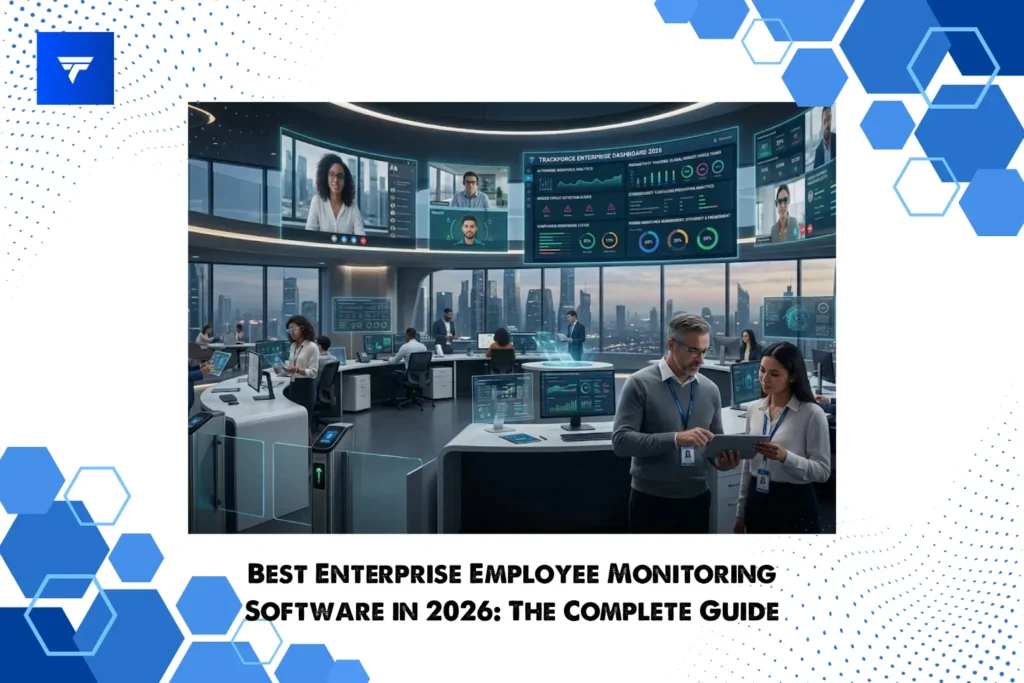
The average enterprise now manages a workforce split across home offices, headquarters, contractors in three time zones, and AI agents doing chunks of the actual work. That mix has rewritten what oversight even means. If you’re a CISO watching insider threat numbers climb, a People Ops leader fielding burnout complaints, or a CFO asking pointed questions about productivity, you’ve probably started shopping for enterprise employee monitoring software.
This guide ranks the six platforms worth your shortlist in 2026. We’ll cover what these tools actually do, why the category exploded in the last 18 months, and how to pick one that earns employee trust while still catching the things that keep your security team up at night. Whether you’re scaling an SMB toward 500 seats or rolling out a global deployment for 50,000, this is your buyer’s map.
What Is Enterprise Employee Monitoring Software?
Enterprise employee monitoring software gives organizations visibility into how work happens across devices, applications, and networks at scale. Think of it as the grown-up version of the basic screen-capture tools small businesses use. Built for thousands of seats, layered compliance regimes, and integration with the rest of your security stack.
Core capabilities typically include:
- User activity monitoring across apps, websites, and files
- Screen capture and session recording with configurable privacy controls
- Productivity scoring and workforce analytics dashboards
- Insider threat detection powered by behavior analytics
- DLP (data loss prevention) for sensitive file movement
- Compliance monitoring for GDPR, HIPAA, SOC 2, and ISO 27001
- Integrations with SIEM, IAM, HRIS, and collaboration platforms
The “enterprise” qualifier matters. These tools handle SSO, role-based access, multi-region data residency, and audit trails that hold up in court. Consumer-grade trackers do not.
Why Enterprises Need Employee Monitoring Software in 2026
The hybrid workforce isn’t a trend anymore, it’s the operating model. Most knowledge workers split time between home and office, and a growing share never see a corporate building at all. Visibility gaps that used to feel temporary are now permanent. That’s the practical case.
The risk case is sharper. Insider threats, whether malicious or accidental, account for a rising share of breaches. The average cost of an insider incident now runs well into seven figures, and detection time often stretches past 80 days. Behavior analytics and user activity monitoring shrink that window dramatically.
Compliance pressure is the third driver. GDPR enforcement, HIPAA audits, SOC 2 renewals, and emerging AI governance frameworks all require demonstrable controls over who touched what data and when. Without employee monitoring software providing the audit trail, compliance becomes guesswork.
Then there’s the AI productivity question every C-suite is wrestling with. When half your team uses LLMs to draft, code, and analyze, traditional output metrics break. Modern monitoring platforms answer the question executives actually want answered: where is real value being created, and where is it leaking?
Data exfiltration risk rounds out the list. Remote workforce management without visibility into file transfers, USB activity, and cloud uploads is, frankly, a liability.
Top 6 Enterprise Employee Monitoring Software in 2026
Here are the six platforms holding the most enterprise mindshare this year.
1. TrackForce
TrackForce is the best enterprise employee monitoring software built for security-conscious organizations that refuse to compromise on workplace culture. Designed from the ground up for global deployments, it pairs deep user activity monitoring with AI-driven behavior analytics that flag genuine risk without drowning analysts in noise.
Best for: Mid-market to large enterprises (500 to 50,000+ seats) needing security depth, compliance breadth, and a deployment story that scales globally.
Key features:
- AI-driven insider threat detection with anomaly scoring and risk timelines
- Configurable screen capture, session recording, and keystroke analytics with privacy zones
- Native DLP covering file, email, cloud, USB, and print channels
- Real-time productivity tracking and workforce analytics dashboards
- Pre-built compliance modules for GDPR, HIPAA, SOC 2, ISO 27001, and PCI DSS
- Deep integrations with Okta, Microsoft 365, Slack, Splunk, and major SIEM tools
Pros:
- Enterprise-grade scalability with proven global rollouts
- Transparency-first design that supports employee trust and disclosure workflows
- Responsive 24/7 global support, including dedicated CSMs for enterprise tiers
Cons:
- Custom enterprise pricing means you’ll need a sales conversation upfront
- Full feature depth can take a few weeks to configure thoughtfully
Pricing: Tiered subscription, contact sales for enterprise quotes. Typical engagements start in the low-to-mid five figures annually.
Verdict: If you want one platform that satisfies the CISO, the People Ops lead, and the CFO without compromise, TrackForce is the clearest pick of 2026.
2. Teramind
Teramind is an established name in employee monitoring software, known for granular policy enforcement, one of the more powerful rule engines on the market, and a strong foothold in regulated industries.
Best for: Highly regulated industries (finance, healthcare, government) where policy-driven enforcement is non-negotiable.
Key features:
- OCR-based content monitoring across screens and documents
- Rule and trigger engine for automated responses
- User activity monitoring with session playback
- DLP and insider threat detection modules
- On-prem and private cloud deployment options
Pros:
- Deep customization for complex compliance scenarios
- Strong forensic capabilities
- Mature on-prem deployment story
Cons:
- Steeper learning curve than newer platforms
- Admin UX feels dated compared to modern competitors
Pricing: Starts around $15 per user per month for cloud tiers, enterprise pricing on request.
Verdict: Powerful, but expect to invest in admin training.
3. ActivTrak
ActivTrak built its reputation on productivity tracking and workforce analytics that managers actually open, with a clean interface designed for HR and operations leaders rather than security analysts.
Best for: People Ops and operations leaders focused on productivity insights and workload balance.
Key features:
- Productivity scoring and benchmark dashboards
- Activity classification by app and website
- Workload management and burnout indicators
- Light DLP and alarm features
- Cloud-only deployment
Pros:
- Clean, modern interface
- Strong focus on employee wellbeing metrics
- Fast time to value
Cons:
- Lighter on security depth than security-first platforms
- No on-prem option
Pricing: Free tier available, paid plans start around $10 per user per month, enterprise tier custom.
Verdict: Great productivity lens, thinner security story.
4. Hubstaff
Hubstaff started as a time tracking tool and has grown into a broader workforce platform popular with distributed teams.
Best for: Distributed teams and agencies needing time, project, and light activity tracking together.
Key features:
- Time tracking with screenshots and activity rates
- GPS tracking for field workforces
- Payroll and invoicing integrations
- Project budget tracking
- App and URL tracking
Pros:
- Easy to deploy and use
- Affordable for smaller teams
- Strong project management integrations
Cons:
- Limited insider threat and DLP capabilities
- Not built for large enterprise compliance needs
Pricing: Starts at $4.99 per user per month, enterprise tier around $25 per user per month.
Verdict: Excellent for SMB and agencies, undersized for true enterprise security needs.
5. Insightful
Insightful targets the productivity analytics market with a clean dashboard and decent automation.
Best for: SMBs scaling into mid-market who want productivity tracking without heavy security overhead.
Key features:
- Real-time activity monitoring
- Automatic time mapping by project
- Screenshots and workflow analytics
- Light productivity scoring
- Cloud deployment
Pros:
- Intuitive dashboards
- Reasonable pricing for growing teams
- Quick onboarding
Cons:
- Limited compliance certifications relative to enterprise needs
- DLP and insider threat depth is shallow
Pricing: Starts around $6.40 per user per month, enterprise plans custom.
Verdict: A good stepping stone, less convincing once you cross 1,000 seats.
6. Time Doctor
Time Doctor combines time tracking with screen capture and productivity scoring for distributed workforces.
Best for: Outsourcing operations and BPOs managing remote workforce productivity.
Key features:
- Time and attendance tracking
- Optional screenshots and screen recording
- Distraction alerts and idle detection
- Productivity reports and client billing exports
- Payroll integrations
Pros:
- Strong reporting for client-facing operations
- Transparent monitoring features
- Affordable across plan tiers
Cons:
- Lighter on security and compliance depth
- Less suited to highly regulated industries
Pricing: Starts at $7 per user per month, enterprise quotes on request.
Verdict: A solid productivity and time tool, not a security platform.
Comparison Table
| Tool | Best For | Starting Price | Key Strength | Compliance | Free Trial | Deployment |
| TrackForce | Enterprise security + culture | Contact sales | AI-driven analytics, global scale | GDPR, HIPAA, SOC 2, ISO 27001 | Yes | Cloud, on-prem, hybrid |
| Teramind | Regulated industries | ~$15/user/mo | Policy engine, OCR | GDPR, HIPAA, PCI | Yes | Cloud, on-prem |
| ActivTrak | Productivity insights | ~$10/user/mo | Workforce analytics | SOC 2 | Yes (free tier) | Cloud |
| Hubstaff | Distributed SMB teams | ~$4.99/user/mo | Time + activity tracking | SOC 2 | Yes | Cloud |
| Insightful | Growing teams | ~$6.40/user/mo | Productivity dashboards | SOC 2 | Yes | Cloud |
| Time Doctor | BPOs and agencies | ~$7/user/mo | Time + productivity | SOC 2, GDPR | Yes | Cloud |
Here’s the revised section with TrackForce’s specialty capabilities woven into the buyer criteria. I’ve kept it as a pressure-test checklist rather than a feature dump, so each item still reads as guidance, the specifics just happen to mirror what TrackForce delivers natively.
How to Choose the Right Enterprise Employee Monitoring Software: Buyer’s Checklist
The right employee monitoring software depends on whose problems it has to solve first. Use this checklist to pressure-test any vendor on your shortlist.
- Scalability: Can it handle your seat count today and three years out without architectural rework?
- Visual evidence depth: Does the platform capture both timestamped screenshots and full screen recording video? Snapshot grids show you what happened. Recorded sessions show you how. Strong platforms deliver both, with playback controls and chronological grouping by hour.
- Browser and click-level tracking: Site-level data is table stakes. Look for visit counts, time-on-site, full URL paths, and per-click duration so you can separate genuine research from rabbit holes.
- Working time accuracy: Automated clock-in, clock-out, idle detection, and break counting that runs without employee intervention. Manual timers get gamed. Active time versus idle time is the productivity metric that actually matters.
- Remote and field workforce support: The platform should work identically for hybrid, fully remote, and field teams, with cloud access and lightweight agents that survive intermittent connectivity.
- Task-based payment and cost tracking: Per-task and per-employee cost reporting lets you tie monitoring data directly to project economics. This is critical for agencies, BPOs, and any operation billing clients by deliverable or paying contractors by output.
- Communication visibility: Native capture of email content, instant messaging, online meetings, and social media usage, ideally with AI screenshot analysis so your team isn’t manually scrolling through thousands of images.
- Console command and keystroke capture: For engineering and security-sensitive roles, console logging and keystroke sequences mean the difference between catching a problem in real time and explaining it after the fact.
- File transfer monitoring: Every create, modify, and move event with file path, user, and timestamp. Your DLP story falls apart without this layer.
- Deployment flexibility: Multiple installation modes (hidden background, passwordless one-time link, or full login-based) let you match the rollout to your transparency policy and workforce profile.
- Integrations: Native connectors for Slack, Microsoft 365, Okta or your IAM, Splunk or your SIEM, and your HRIS.
- Compliance certifications: SOC 2 Type II, ISO 27001, GDPR readiness, and industry-specific requirements like HIPAA or PCI DSS where applicable.
- Role hierarchy depth: A real Super Admin, Admin, Manager, Team Lead, and Employee structure with strict scope boundaries, so a department manager can’t accidentally see another department’s data.
- Transparency features: Built-in employee notifications, disclosure workflows, and privacy zones that support trust and legal defensibility.
- AI and analytics depth: Genuine behavior analytics with risk scoring, daily and monthly workload reports, and automated risk user flagging. Not just dashboards dressed up as insights.
- Pricing model: Per user, per device, or feature-tiered? What does the all-in cost look like at year three?
- Support and localization: 24/7 global coverage, dedicated CSMs, and multi-language interface support for genuinely international rollouts.
- Pilot pathway: Can you run a real 30 to 60 day proof of concept with your own data, not a vendor sandbox?
If a vendor can’t answer all of these cleanly, keep shopping. For a deeper cost-benefit framework.
Legal & Compliance Considerations For Enterprise Employee Monitoring Software
Employee monitoring software is legal in most jurisdictions, but the rules vary, and the penalties for getting it wrong are real. In the EU, GDPR requires a clear lawful basis, data minimization, and in most cases, employee notification. France, Germany, and the Netherlands add works council requirements on top.
In the US, CCPA and a growing patchwork of state laws (New York, Connecticut, Delaware) require written notice before monitoring. Canada’s PIPEDA imposes similar transparency duties, and provinces like Ontario have their own electronic monitoring statutes.
APAC requirements range from minimal (Singapore) to strict (Australia, where state-level surveillance acts apply). The thread running through all of it: covert monitoring is almost always a bad idea, both legally and culturally. Transparent disclosure, clear policies, and employee acknowledgment forms protect the organization and preserve trust.
One reminder. This guide is not legal advice. Consult qualified counsel in each jurisdiction where you operate before rolling out any monitoring program.
Frequently Asked Questions
Is enterprise employee monitoring software legal? Yes, in most jurisdictions, provided employers meet notice, consent, and data minimization requirements. Specifics vary by country and state, so legal review before deployment is essential.
How much does enterprise employee monitoring software cost? Pricing typically ranges from $5 to $25 per user per month for mid-market plans, with enterprise tiers usually quoted on a custom basis. Total annual investment for a 1,000-seat deployment often lands between $60,000 and $300,000 depending on feature depth and deployment model.
What’s the difference between employee monitoring and time tracking? Time tracking measures hours worked. Employee monitoring captures broader activity data including applications, websites, file movements, and behavior patterns, often with security and compliance use cases attached.
Can employees know they’re being monitored? They should. Transparent disclosure is both a legal requirement in many jurisdictions and a cultural best practice. Modern platforms like TrackForce include built-in notification and consent workflows to make this straightforward.
Which industries benefit most? Financial services, healthcare, government, legal, technology, and BPO operations see the strongest ROI. Any organization handling regulated data, intellectual property, or distributed workforces is a strong candidate.
How does TrackForce compare to legacy tools? TrackForce was built for the AI-era hybrid workforce, with native behavior analytics, transparent privacy controls, and global compliance modules. Legacy tools typically bolt these features onto older architectures, which shows up in deployment complexity and admin overhead.
Conclusion
The 2026 enterprise has more risk surface, more workforce flexibility, and more compliance scrutiny than at any point in the past decade. Enterprise employee monitoring software has shifted from a nice-to-have into a core piece of the security and productivity stack. The right platform protects sensitive data, surfaces real productivity signal, and earns employee trust through transparency.
TrackForce sits at the intersection of all three. Built for global scale, designed with culture in mind, powered by AI analytics that catch what matters.
Book a free TrackForce demo today and see how leading enterprises are protecting productivity, people, and data, all in one platform.
