
Daily Reports vs Monthly Reports: When Should Managers Use Each?
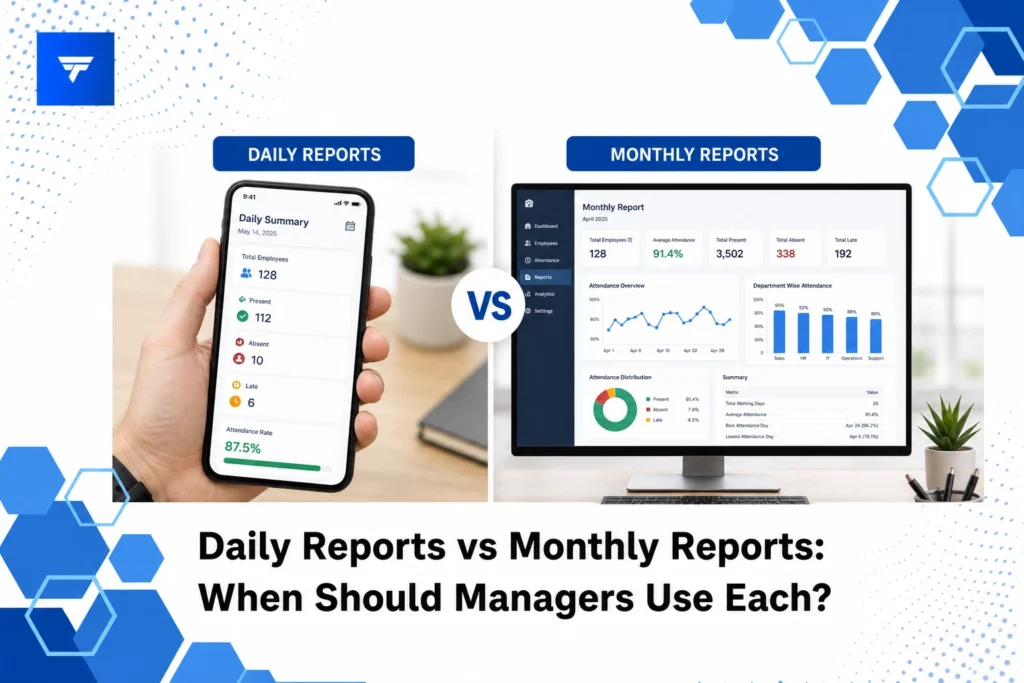
Daily Reports vs Monthly Reports: When Should Managers Use Each?
Introduction
In a world driven by data, managers are constantly confronted with the challenge of making informed decisions that steer their teams and projects towards success. A 2021 survey revealed that 67% of businesses rely on some form of reporting for daily decision-making, underscoring the vital role these reports play. However, understanding when to utilize daily or monthly reports can greatly impact the efficiency and accuracy of the decision-making process.
This article will explore the key differences between daily and monthly reports, their respective benefits, and practical scenarios to effectively choose between the two. Our aim is to equip managers with the clarity needed to streamline processes and enhance team outputs.
What Are Daily and Monthly Reports?
Daily reports are concise updates that provide immediate insights into the day-to-day operations of a business or project. These reports are tailored for managers who need to monitor progress, spot issues early, and ensure that daily objectives are met. Typically, daily reports are employed in high-paced environments such as sales teams or manufacturing floors, where real-time data is critical to maintaining operational efficiency.
In contrast, monthly reports offer a broader perspective on business performance, allowing managers to assess trends and make strategic decisions. These reports aggregate data from a more extended period, providing insights into profitability, market positioning, and team performance. Monthly reports are particularly valuable for executives and department heads who focus on strategy, growth metrics, and long-term planning.
Daily Reports vs Monthly Reports: When to Use Each
1. Daily Reports for Sales Teams
For sales teams, daily reports are indispensable. Managers use these reports to track daily sales activities, assess individual performance, and adjust strategies quickly to meet targets. A daily sales report provides data on leads contacted, deals closed, and sales funnel progression each day. By leveraging tools like TrackForce, managers are able to receive real-time insights, making it easier to identify trends, coach team members, and enhance sales tactics.
2. Monthly Reports for Financial Departments
Financial departments rely heavily on monthly reports to monitor financial health and strategic budgeting. These reports consolidate all financial transactions, allowing financial managers to analyze cash flow, budgeting accuracy, and profitability. Monthly financial reports provide a high-level view essential for preparing quarterly reports and forecasting. Tools like TrackForce can simplify report generation by integrating data from various sources, ensuring comprehensive financial overviews.
3. Daily Reports for Customer Support Teams
Customer support teams benefit from daily reports to monitor service efficiency and customer satisfaction levels. These reports can track metrics like call response time, ticket resolution rates, and customer feedback. Immediate insights enable team leads to tackle service bottlenecks promptly and maintain high customer satisfaction. Implementing TrackForce allows managers to capture these metrics with accuracy, ensuring a seamless support experience.
4. Monthly Reports for Human Resources
In human resources, monthly reports are crucial for evaluating workforce trends, hiring efficiency, and employee engagement levels. These reports help HR managers to understand turnover rates, talent acquisition success, and training effectiveness. Monthly HR reports serve as a foundation for strategic workforce planning and improvement initiatives. By utilizing solutions like TrackForce, HR departments can streamline data collection and analysis, providing insights into workforce patterns.
5. Daily Reports for Manufacturing Operations
In manufacturing, daily production reports are essential to track operational efficiency, machine utilization, and production output. These reports enable operations managers to intervene quickly if production targets are at risk. Daily manufacturing reports can highlight downtime issues, quality control lapses, and equipment status. TrackForce offers tools that facilitate real-time monitoring, helping managers to maintain an optimal production flow.
Types and Features of Reporting with TrackForce
TrackForce encompasses robust features that support both daily and monthly reporting needs. The Real-Time Dashboard offers live tracking, productivity graphs, and workflows overview, making it an essential tool for managers needing immediate access to operational data. App, website, and communication tracking provide additional layers of insight that can be included in targeted reports.
For monthly reporting, TrackForce’s Smart Behavior Analytics serves as a powerful feature. It provides long-term analysis on employee performance, detecting risky activities and highlighting productivity trends over time. This allows managers to align strategies with long-term goals effectively.
Pricing Models
TrackForce offers flexible pricing plans suited for different organizational needs. The Essential Plan at $4.99/user/month provides access to core features like dashboard access, app/website tracking, and daily productivity reports. It’s suitable for organizations that need basic monitoring capabilities without extensive feature needs.
The Professional Plan at $9.99/user/month includes advanced features such as screen recording and email monitoring, making it ideal for businesses that require comprehensive oversight. The Ultimate Plan costs $12.99/user/month, offering all features, including advanced risk analytics and custom policy restrictions, designed for enterprises focusing on high-stakes environments.
Why Reporting Matters
The significance of effective reporting is grounded in its ability to transform data into actionable insights. As businesses face increasing demands for transparency and accountability, choosing the right type of report becomes paramount. TrackForce stands out by providing the versatility needed to support both operational and strategic objectives, making it a tool of choice for managers striving to maintain a competitive edge.
With the help of TrackForce, organizations can ensure data integrity and reliability in their reporting, crucial for decision-making processes. The ability to track productivity, performance, and compliance from a centralized platform offers a comprehensive understanding of business dynamics.
Managers can position themselves ahead of potential challenges through accurate and timely reports, reducing risks associated with data delays or inaccuracies.
How TrackForce Works
Setting up TrackForce is straightforward, allowing managers to configure their dashboards and reporting features swiftly. With role-based access controls, teams can ensure that sensitive data is only accessible to authorized personnel, enhancing security measures.
The workflow integration feature allows TrackForce to seamlessly gather data from existing business tools and systems, ensuring that managers receive a holistic view of operations without additional manual data entry.
The intuitive platform design supports easy navigation and quick access to customizable reporting templates, enabling managers to tailor reports according to specific department needs or business goals.
Conclusion
Understanding when to use daily or monthly reports can significantly enhance management effectiveness. To explore these features, consider starting a TrackForce free trial today.
FAQs
How often should daily reports be generated?
Daily reports are best generated at the end of each business day to ensure that managers have the most current data available for overnight analysis. This frequency allows teams to prepare for the following day with a clear understanding of what needs adjustment or continuation.
What should be included in a monthly report?
A monthly report should cover key performance metrics, financial summaries, project updates, and strategic insights. It should present data that illustrates trends, enabling managers to develop informed strategies for business growth and improvement.
Why might daily reports be stressful for employees?
Daily reports can sometimes create pressure as they demand constant data input and can lead to micromanagement perceptions. However, when used correctly, they offer real-time problem-solving benefits by keeping operations aligned with daily objectives.
Can TrackForce reports be customized?
Yes, TrackForce offers customizable reporting capabilities that allow managers to choose what data points are relevant for their specific needs. This flexibility ensures that reports are tailored and meaningful, providing precise insights without information overload.
