
How to Read a Productivity Dashboard: A Manager’s Step-by-Step Guide
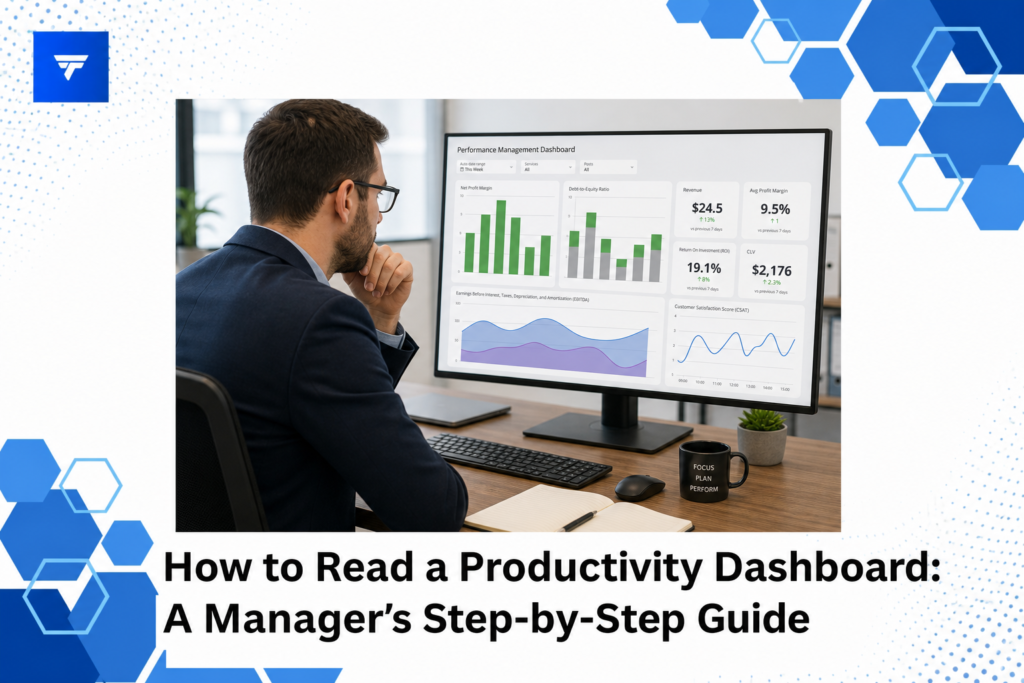
How to Read a Productivity Dashboard: A Manager’s Step-by-Step Guide
Introduction
Recent studies indicate that organizations leveraging productivity dashboards report a 20% increase in efficiency. This surge in operational effectiveness is a testament to how real-time data insights can refine decision-making and enhance team performance. For managers striving to optimize resources, reading and interpreting these dashboards is crucial.
This guide will equip you with the skills to effectively interpret a productivity dashboard, ensuring you can extract actionable insights and drive your team toward greater success. You’ll learn the essentials of understanding the metrics, spotting trends, and making data-driven decisions to streamline operations.
What Is a Productivity Dashboard?
A productivity dashboard is a visual representation that consolidates critical data points, offering a snapshot of team performance and operational workflows. Its purpose is to simplify data analysis by presenting complex datasets in an accessible format. Managers can track key performance indicators (KPIs), workload distribution, and employee activity, all in one place.
The primary audience for productivity dashboards includes managers, team leads, and executives tasked with overseeing productivity and efficiency. By using these dashboards, they gain the ability to quickly assess the performance against set goals, identify bottlenecks, and allocate resources more effectively.
This tool is essential for those who need timely insights to make informed decisions without being overwhelmed by raw data. Its visual nature helps bridge the gap between data and actionable intelligence.
How to Read a Productivity Dashboard: A Step-by-Step Guide
1. Identify Your Key Metrics
The first step in reading a productivity dashboard is to clarify the key metrics that align with your objectives. Managers should focus on metrics such as task completion rates, time utilization, and employee engagement levels. For instance, if you’re overseeing a marketing team, you might prioritize metrics like content output and campaign reach. Clearly defining these metrics ensures that the dashboard reflects valuable insights specific to your operational goals.
2. Analyze Data Trends and Patterns
With key metrics identified, the next step is to look for trends over time. Spotting upward or downward patterns in productivity can help managers detect emerging issues or opportunities. For example, a consistent dip in output during specific times may indicate a need for resource reallocation or process adjustments. Recognizing these trends is vital for maintaining adaptive strategies in a fast-paced work environment.
3. Evaluate Employee Performance
Individual employee performance metrics offer insights into productivity and engagement levels across the team. Managers can use dashboards to assess how individual contributions impact overall performance. For those managing remote teams, tools like TrackForce allow for monitoring active hours and output, providing a comprehensive view of each employee’s contribution to team goals.
4. Monitor Resource Allocation
Resource allocation is a critical aspect of productivity management. The dashboard should display how resources are distributed across tasks and projects. Managers in sectors like IT or development can benefit greatly by ensuring high-priority projects get the necessary attention. Using the TrackForce dashboard, managers are able to decentralize resources effectively to maximize productivity.
5. Address Bottlenecks Efficiently
Identifying and addressing bottlenecks is essential for maintaining productivity flow. Dashboards can highlight inefficiencies in workflows, allowing managers to swiftly implement corrective measures. By addressing these pain points, such as delayed feedback loops or approval processes, teams can achieve higher throughput and improved output quality.
6. Ensure Compliance and Security
Using a productivity dashboard also involves monitoring compliance and security aspects. This is crucial for managers in industries with stringent regulatory requirements, such as finance or healthcare. A comprehensive dashboard like the one offered by TrackForce includes monitoring tools for data protection and compliance, enhancing overall organizational security.
Types / Features of Productivity Dashboards
TrackForce offers advanced features tailored to meet diverse organizational needs. Its real-time dashboard provides live tracking, productivity graphs, and an overview of workflows. These visualizations enable managers to make informed decisions based on immediate insights.
The platform also supports app and website tracking, which allows for granular analysis of employee activities. Managers can gain visibility into time spent on various tools, ensuring that team members are focused on critical tasks rather than non-productive sites.
Pricing
Understanding the pricing structure is crucial for businesses deciding to implement a monitoring solution. TrackForce offers three pricing plans tailored to different organizational needs. The Essential plan, at $4.99/user/month, includes basic dashboard access and app/website tracking.
The Professional plan, priced at $9.99/user/month, adds file transfer and email & chat monitoring, alongside compliance features like screen recording and keystroke logging. For comprehensive coverage, the Ultimate plan at $12.99/user/month, includes advanced risk analytics and dedicated account management, catering to large organizations with complex requirements.
Why It Matters
The market for productivity tools is rapidly expanding as businesses recognize the importance of efficient management. Using a solution like TrackForce, organizations can transform raw data into actionable insights, streamlining operations and bolstering security.
TrackForce stands out due to its comprehensive approach to productivity and compliance monitoring. By offering features like smart behavior analytics and customizable tracking rules, it caters to various industry needs, from IT directors focused on security to business owners seeking accountability.
The combination of real-time data insights and robust monitoring capabilities makes TrackForce a strong contender in the productivity management tool space, ensuring businesses can maintain a competitive edge.
How It Works
Setting up TrackForce is straightforward, involving a few key steps. After account setup, managers can define monitoring parameters and customize the dashboard according to their specific needs. Initial setup involves selecting KPIs and configuring tracking rules that align with organizational goals.
Once operational, the dashboard provides a seamless workflow overview, integrating live data feeds that update in real-time. Managers receive alert notifications for unusual activity, ensuring quick response to potential issues.
Practical use involves continuous monitoring and data analysis. The platform’s intuitive design supports easy navigation, allowing managers to focus on strategic improvements without being bogged down by complex data interpretation.
Conclusion
For managers aiming to enhance team efficiency and monitor productivity effectively, TrackForce provides a comprehensive solution. Start your 30-day free trial to experience how real-time insights can refine your management strategies.
FAQs
How can a productivity dashboard benefit my team?
A productivity dashboard provides real-time visibility into team activities, enhancing decision-making and resource allocation. It helps identify underperforming areas, enabling managers to implement timely interventions that boost overall efficiency and keep projects on track.
What features should I prioritize when choosing a dashboard?
When selecting a dashboard, prioritize features that align with your business objectives. Key features include data visualization, real-time updates, and the ability to track relevant KPIs. Security and compliance monitoring are also important for ensuring data safety and regulatory adherence.
How does TrackForce ensure data security?
TrackForce uses enterprise-grade encryption and role-based access controls to secure data. These safeguards ensure that sensitive information remains protected and accessible only to authorized personnel. Its focus on compliance and insider threat detection further enhances organizational security.
Is TrackForce suitable for small businesses?
Yes, TrackForce is suitable for businesses of all sizes. Its flexible pricing plans start at $4.99/user/month, making it accessible for small businesses. Its customizable features help managers tailor monitoring solutions to their specific needs, facilitating better productivity management.
