
Employee Monitoring Software for Hybrid Work Environments
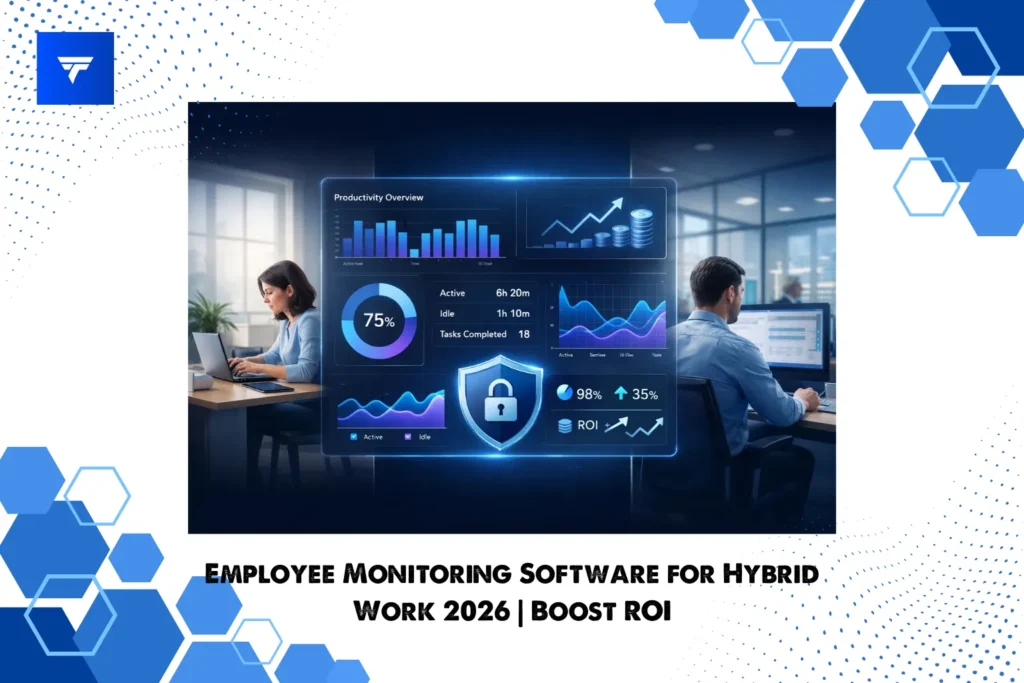
The Complete 2026 Guide for Productivity, Accountability, and Security
Hybrid work is no longer a temporary adjustment. It is now the standard operating model for modern organizations. Teams split time between home and office. Managers oversee distributed employees across departments and time zones. IT leaders must protect data on devices they do not physically control.
With this flexibility comes a serious challenge: how do you maintain visibility, productivity, and compliance without damaging trust?
That is where employee monitoring software for hybrid work environments becomes essential.
This guide will walk you through:
- Why hybrid work creates new monitoring challenges
- What features matter most in 2026
- How to calculate ROI from workforce visibility
- What compliance considerations you must address
- Why TrackForce is built specifically for hybrid teams
This article is written for HR leaders, founders, operations managers, and IT heads who want clarity, not surveillance theater. If you are evaluating tools for hybrid workforce management, this guide will help you make a confident decision.
What Makes Hybrid Work Different from Remote Work?
Remote work is simple in structure: employees work outside the office full time.
Hybrid work is more complex.
Employees rotate between office and home. Some teams collaborate in person. Others operate fully online. Managers must compare performance across locations while ensuring policies remain consistent.
Hybrid introduces:
- Location-based productivity differences
- Inconsistent attendance patterns
- Device-level security risks
- Limited managerial visibility
- Payroll discrepancies due to idle time
Traditional management systems were designed for on-site teams. Basic time trackers were designed for remote freelancers. Hybrid work requires something more intelligent and structured.
You need unified visibility across:
- Office desktops
- Remote laptops
- Field devices
- Shared meeting environments
This is precisely the gap TrackForce was designed to bridge.
Why Businesses Need Employee Monitoring Software for Hybrid Teams
Let’s be practical. Hybrid monitoring is not about spying. It is about operational control.
Here are the real business risks companies face without structured monitoring:
1. Productivity Blind Spots
Managers often rely on assumptions. Without data, it becomes difficult to answer:
- Are office employees more productive than remote ones?
- Who is consistently underutilized?
- Which departments are overloaded?
TrackForce solves this with real-time dashboards that visualize active time, idle time, and workload distribution in one interface. As shown in the dashboard overview in the BRS document, managers can instantly see web usage, app usage, and top contributors through visual charts .
This transforms guesswork into measurable performance insight.
2. Payroll Leakage
Even one hour of untracked idle time per employee per day can be expensive.
Example calculation:
- 50 employees
- Average hourly rate: $20
- 1 hour lost per day
- 22 workdays per month
50 × $20 × 22 = $22,000 per month in potential inefficiency.
Hybrid monitoring software helps you:
- Track active vs idle time
- Monitor break counts
- Identify late logins
- Flag incomplete work hours
TrackForce includes automated Active Time and Break Count tracking to eliminate manual time reporting errors .
3. Security and Data Risks
Hybrid work increases exposure:
- File transfers on unmanaged networks
- Sensitive database edits
- Unauthorized file movement
- Risky browsing behavior
TrackForce includes:
- File transfer monitoring
- Keystroke logs
- Console command tracking
- Website and application logs
These modules allow administrators to detect unusual activity early .
For hybrid organizations handling client data, this level of oversight is no longer optional.
Core Features to Look for in Hybrid Monitoring Software
When evaluating employee monitoring software for hybrid work environments, focus on functionality that supports distributed work, not just basic time tracking.
1. Real-Time Dashboard Visibility
Managers need an overview before diving into details.
TrackForce provides:
- Web usage and app usage charts
- Active vs idle time graphs
- Employee summary tables
- Live activity logs
The Overview Panel and Time Worked Graph visually display performance metrics across departments .
This helps managers identify trends within seconds.
2. Activity Monitoring Across Locations
Hybrid employees use different tools depending on location.
TrackForce logs:
- Applications used
- Websites visited
- Search keywords
- Instant messaging activity
- Social media activity
This ensures monitoring remains consistent whether an employee works in the office or remotely.
3. Screen Records and Snapshots
For high-accountability environments, visual proof matters.
TrackForce includes:
- Snapshot grid view with timestamps
- Screen recordings grouped by hour
- Thumbnail previews with playback controls
This is ideal for:
- Verifying task engagement
- Resolving disputes
- Auditing workflow
Few hybrid monitoring tools provide both screenshots and video records in a structured reporting module.
4. Attendance and Workload Reports
Hybrid teams require daily and monthly reporting to maintain structure.
TrackForce provides:
- Daily Work Load dashboard
- Daily Report with active, idle, and productive time
- Monthly Report with attendance breakdown
- Risk User identification
The Risk User report flags employees with late logins or excessive breaks .
This proactive insight prevents small issues from becoming long-term performance problems.
5. Role-Based Access Control
Hybrid monitoring must protect privacy and restrict data visibility.
TrackForce defines clear hierarchical roles:
- Super Admin
- Admin
- Manager
- Team Lead
- Employee
Each role has controlled access levels .
Managers only see department-level data. Team leads only see assigned teams. Employees cannot access system-wide monitoring.
This structured control builds trust while maintaining accountability.
Why TrackForce Is the Best Employee Monitoring Software for Hybrid Work Environments
Many tools focus only on time tracking. Others focus only on security.
TrackForce integrates productivity, reporting, monitoring, and administrative control into one unified platform.
Here is why it stands out.
Built Specifically for Both On-Site and Remote Teams
TrackForce was designed for organizations managing:
- Office staff
- Remote employees
- Field workers
The system ensures real-time monitoring across all work modes .
Unlike tools designed only for freelancers or call centers, TrackForce supports complex organizational structures.
Flexible Installation Options
Hybrid environments require flexibility.
TrackForce supports:
- Hidden App mode for background monitoring
- Passwordless App for simplified access
- Login-based App for credential-based tracking
This allows IT teams to deploy based on policy requirements.
Complete Workforce Intelligence in One Dashboard
Instead of juggling multiple tools, TrackForce consolidates:
- Time tracking
- File activity
- Application logs
- Website logs
- Screen captures
- Device performance metrics
- CPU usage
- IP tracking
The Device List module even displays hardware details like RAM usage and OS information .
This level of technical depth makes TrackForce ideal for hybrid IT environments.
Advanced Reporting for Strategic Decision-Making
Hybrid leaders need more than raw logs.
TrackForce transforms data into:
- Utilization rates
- Productivity percentages
- Color-coded workload indicators
- Department-level summaries
The Daily Work Load dashboard visualizes total work hours, active time, and average utilization rate in one view .
This empowers executives to optimize team structure.
AI-Based Monitoring Insights
TrackForce analyzes screenshots when chat, social media, or email content is detected .
This intelligent filtering reduces manual audit effort.
Privacy and Compliance Considerations
Ethical monitoring matters.
When implementing hybrid monitoring software:
- Inform employees transparently
- Define monitoring hours clearly
- Exclude personal time
- Follow local labor laws
- Secure stored data
TrackForce includes role-based permissions and configuration controls to ensure data privacy policies are respected .
Super Admin controls compliance settings, backups, and policies at the system level.
ROI of Hybrid Employee Monitoring
Let’s look at measurable impact.
Scenario
Company size: 75 employees
Average hourly cost: $18
Estimated untracked idle time: 45 minutes per day
Monthly impact:
75 × $18 × 0.75 × 22 workdays = $22,275
Even reducing inefficiency by 40 percent recovers nearly $9,000 monthly.
When hybrid teams are distributed, visibility becomes profit protection.
TrackForce not only tracks time but also identifies risk users and workload imbalances before financial damage accumulates.
Who Should Use Hybrid Work Monitoring Software?
TrackForce is ideal for:
- SaaS companies managing distributed developers
- Agencies handling client-based projects
- BPO and call centers with rotating shifts
- Enterprises managing hybrid IT departments
- Organizations with compliance-sensitive operations
If your workforce operates across locations and devices, unified monitoring is not optional.
Frequently Asked Questions
Is employee monitoring software legal for hybrid teams?
Yes, provided companies comply with local labor laws and inform employees transparently.
Does monitoring reduce trust?
When implemented with clear communication and role-based access control, monitoring increases accountability without micromanagement.
Can TrackForce monitor both office and remote employees?
Yes. It is designed for on-site and remote tracking with real-time dashboards .
Does TrackForce provide detailed reports?
Yes. It includes daily, monthly, and risk-based reports with visual analytics .
Final Thoughts
Hybrid work is here to stay. But without structure, flexibility can quickly turn into operational chaos.
The right employee monitoring software for hybrid work environments should provide:
- Real-time productivity visibility
- Detailed activity logs
- Secure file and device monitoring
- Structured reporting
- Role-based access control
- Privacy-focused configuration
TrackForce delivers all of this within a single intelligent platform built for modern organizations.
If you are serious about optimizing hybrid productivity, reducing payroll waste, and strengthening security compliance, TrackForce is not just another monitoring tool. It is a complete workforce intelligence system.
The next step is simple: evaluate your current visibility gaps and see how TrackForce can close them with measurable impact.
