
Best Employee Monitoring Software for Computer Activity Tracking in 2026
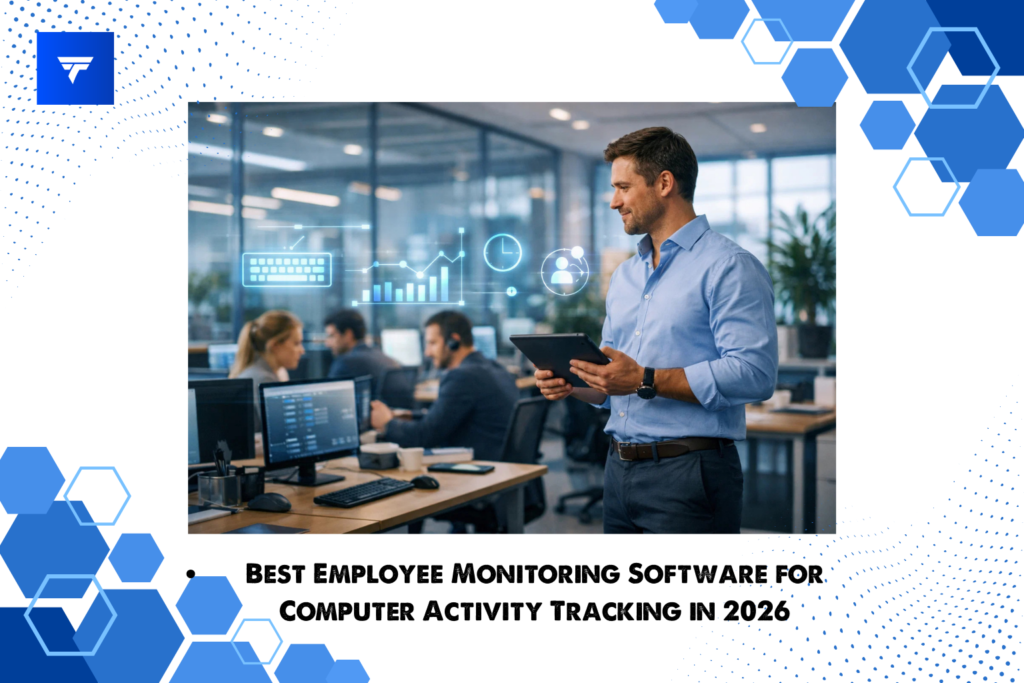
Managing a modern team in 2026 looks very different from just a few years ago. With remote work, hybrid offices, and distributed teams becoming normal, one challenge I constantly face is maintaining visibility into how work is actually happening across employee devices.
This is where employee monitoring software for computer activity tracking becomes extremely valuable.
Instead of relying on guesswork, this type of software helps me see how employees use their computers during work hours. It tracks application usage, websites visited, active time, idle time, and productivity patterns so managers can understand work behavior more clearly.
Modern employee monitoring software for computer activity tracking is not about spying. It is about improving accountability, understanding workflow patterns, and helping businesses manage productivity more effectively.
One platform designed specifically for this purpose is TrackForce, which combines computer activity tracking, workforce monitoring, productivity analytics, and reporting tools in a centralized system. According to the product documentation, TrackForce allows businesses to monitor employee computer usage while improving transparency, operational efficiency, and data driven decision making.
What Is Employee Monitoring Software for Computer Activity Tracking
Employee monitoring software for computer activity tracking is software that records digital activity on employee computers so organizations can understand how work time is spent.
This software monitors various types of digital behavior including:
- application usage
- website browsing
- active vs idle time
- search activity
- screen activity
- productivity patterns
Instead of only tracking login time or attendance, employee monitoring software for computer activity tracking analyzes how employees interact with their devices during working hours.
TrackForce expands this concept further by combining computer activity monitoring with workforce management tools such as real time dashboards, productivity metrics, automated reports, and role based access control.
For organizations managing remote or hybrid teams, this level of computer activity visibility is increasingly essential.
Why Businesses Use Employee Monitoring Software for Computer Activity Tracking
There are several reasons businesses adopt employee monitoring software for computer activity tracking today.
Productivity Visibility
Without computer activity tracking, it can be difficult to understand how employees spend their work hours.
Monitoring software helps identify:
- active work time
- idle periods
- application usage patterns
- browsing behavior
TrackForce specifically provides dashboards showing active hours, idle hours, productivity trends, and employee summaries so managers can easily understand team performance.
Remote Team Management
Remote work requires stronger operational visibility.
Employee monitoring software for computer activity tracking helps managers understand what remote employees are working on without needing constant check ins.
The TrackForce platform is designed to support remote and field teams by providing real time activity updates and centralized dashboards.
Workflow Optimization
Tracking computer activity helps identify inefficient workflows.
For example:
- unnecessary application switching
- excessive browsing
- underutilized software tools
With the right insights, managers can redesign workflows to improve productivity.
Accountability and Transparency
When employees know their work activity is measured fairly and transparently, accountability increases.
TrackForce emphasizes transparency and structured oversight while providing secure access control through role based permissions.
What Computer Activity Tracking Actually Monitors
Many people assume employee monitoring software for computer activity tracking only captures screenshots. In reality, modern monitoring platforms track many different forms of digital activity.
TrackForce includes monitoring capabilities such as:
- active time tracking
- break monitoring
- website activity logs
- application usage tracking
- search history
- file transfer activity
- keystroke logs
- screenshots
- screen recordings
- productivity reports
These features allow businesses to build a full picture of how employee computer activity evolves throughout the day.
Key Features to Look for in Employee Monitoring Software for Computer Activity Tracking
When choosing employee monitoring software for computer activity tracking, I focus on features that provide real productivity insights rather than just raw monitoring data.
Real Time Monitoring Dashboard
A strong dashboard should show team activity instantly.
TrackForce provides a real time monitoring dashboard with employee summaries, workload graphs, time worked charts, and productivity metrics.
Application Usage Tracking
Application monitoring shows which tools employees spend time on.
TrackForce logs application activity including employee name, application window, and duration of usage.
Website Monitoring
Website monitoring helps managers understand browsing behavior.
TrackForce records visited websites, visit count, total browsing time, and user activity logs.
Screenshots and Screen Monitoring
Many employee monitoring software for computer activity tracking tools include screenshot functionality.
TrackForce includes a snapshot grid that displays screen captures grouped by employee and timestamp.
Screen Recording
Screen recording provides deeper visibility into digital work behavior.
TrackForce stores short screen recordings organized by time intervals that managers can review when necessary.
Search Activity Monitoring
Search monitoring helps organizations understand how employees research work topics.
TrackForce includes search keyword logs and browsing analysis to help identify common search patterns.
File Activity Monitoring
File transfer tracking is especially important for data security.
TrackForce logs file creation, modification, and movement across employee devices to support compliance monitoring.
Productivity Reports and Analytics
Strong reporting tools transform monitoring data into actionable insights.
TrackForce includes:
- daily reports
- monthly reports
- risk user reports
- productivity analytics dashboards
These insights help managers evaluate performance trends more effectively.
How Employee Monitoring Software for Computer Activity Tracking Works
Most employee monitoring software for computer activity tracking platforms work by installing a monitoring agent on employee devices.
Once installed, the software records digital activity and sends data to a centralized dashboard.
TrackForce offers three installation approaches:
- hidden monitoring application
- passwordless installation
- login based monitoring application
Administrators can then:
- create employee accounts
- assign departments and roles
- monitor computer activity through dashboards
- analyze reports and productivity metrics
This workflow enables continuous visibility into employee computer activity across teams.
Best Employee Monitoring Software for Computer Activity Tracking in 2026
When evaluating employee monitoring software for computer activity tracking, several factors determine whether a platform is truly effective.
The most important ones include:
- monitoring depth
- reporting quality
- dashboard clarity
- scalability for team growth
TrackForce Best All in One Computer Activity Tracking Platform
TrackForce stands out because it combines multiple workforce monitoring capabilities within a single platform.
Key capabilities include:
- employee activity tracking
- application usage monitoring
- website tracking
- search activity monitoring
- screenshot monitoring
- screen recording
- file activity monitoring
- productivity reporting
- employee and device management
- role based administrative control
This combination makes TrackForce a strong solution for businesses that need comprehensive employee monitoring software for computer activity tracking rather than a simple time tracking tool.
Benefits of Employee Monitoring Software for Computer Activity Tracking
Implementing employee monitoring software for computer activity tracking provides several operational benefits.
Improved Productivity Analysis
Monitoring software reveals how employees actually spend time on their computers.
TrackForce uses productivity dashboards and workload analytics to highlight performance trends.
Better Team Accountability
Clear activity records help establish performance expectations and support fair evaluation.
Data Driven Management Decisions
Reports allow managers to identify productivity patterns, workload imbalances, and operational bottlenecks.
Enhanced Security and Compliance
Monitoring file transfers, system access, and device information helps protect sensitive data.
TrackForce includes device information monitoring such as IP address, operating system, and hardware details.
Final Step How TrackForce Helps Businesses Grow in 2026
For me, growth in an online business is closely tied to operational visibility.
If I cannot see how my team spends time on their computers, it becomes much harder to optimize productivity, improve workflows, and scale efficiently.
This is where employee monitoring software for computer activity tracking like TrackForce becomes extremely valuable.
TrackForce provides a centralized platform where businesses can monitor application usage, website activity, employee productivity, and digital workflows across the entire organization. Instead of relying on fragmented tools, everything is consolidated in one dashboard.
By analyzing computer activity patterns, businesses can:
- identify productivity bottlenecks
- optimize team workflows
- improve employee accountability
- detect operational inefficiencies early
- scale teams more confidently
With detailed monitoring features, automated reporting, and structured management tools, TrackForce helps transform raw employee computer activity into actionable business intelligence.
And in 2026, that level of visibility is becoming essential for organizations that want to scale successfully.
