
Best Software for Tracking Team Productivity in Dashboards (2026)
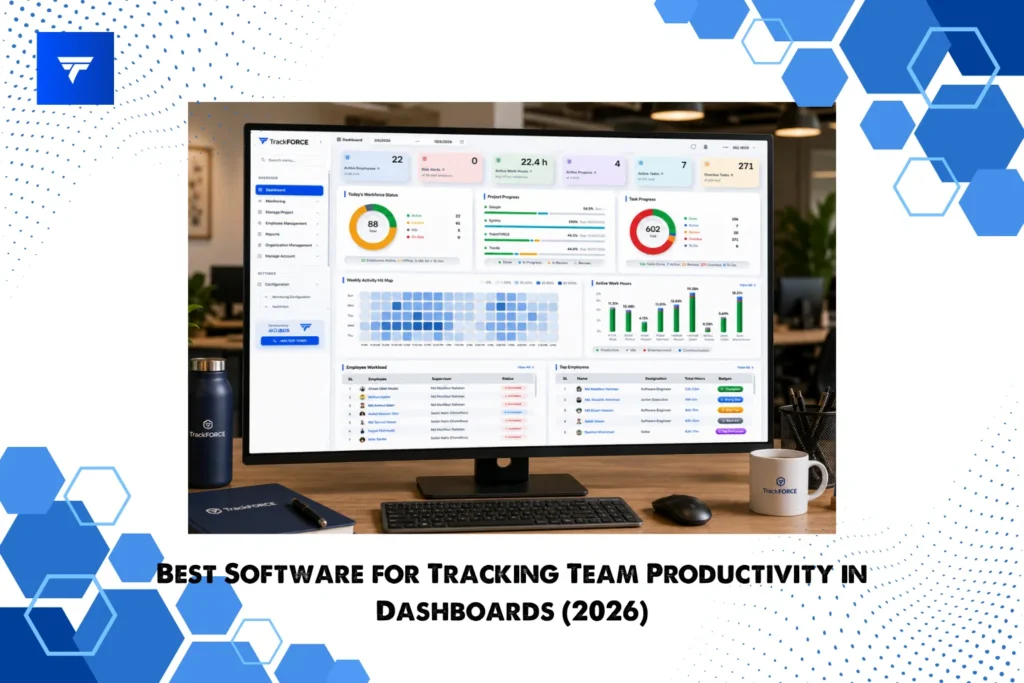
Most HR managers don’t have a data problem. They have a visibility problem.
Your tools are generating activity data around the clock: login times, task completions, application usage, attendance patterns. But if that data lives in raw exports, weekly reports no one reads, or scattered spreadsheets across three systems, it is not helping you make decisions. It is just noise.
The right productivity tracking software solves this with one thing: a dashboard that turns workforce data into something you can actually act on, whether that is a 1:1 conversation, a performance review, a capacity planning call, or a compliance audit.
This guide covers the best software for tracking team productivity in dashboards in 2026. Every tool on this list was evaluated specifically on dashboard quality, HR-relevant views, and how well the data supports real management decisions, not just surveillance metrics.
What Makes a Good Productivity Dashboard for HR Teams
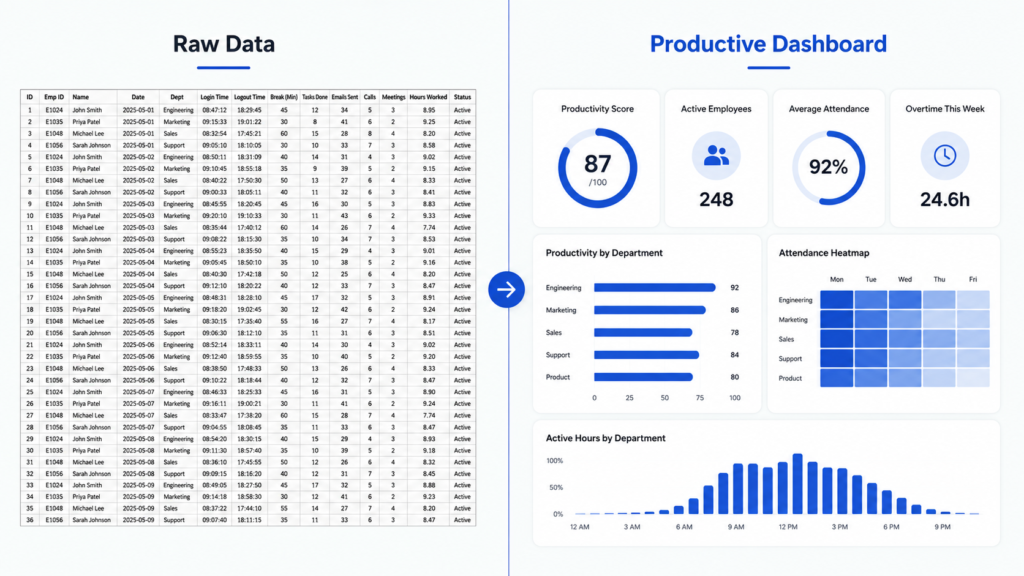
Before comparing tools, it helps to know what you are actually looking for. A productivity dashboard built for HR managers is different from one built for IT or operations.
Here is what belongs in an HR-facing productivity dashboard:
- Active hours vs. scheduled hours at the team level, not just individual level
- Task and project completion rates tied to individual contributors
- Application and URL usage categorized as productive, neutral, or unproductive
- Attendance and punctuality patterns over time, not just today
- Output per person relative to role benchmarks you define
- Anomaly flags that surface outliers without requiring manual review
The difference between a useful dashboard and a decorative one is whether it changes what you do next. If you open your dashboard and still need to go dig through three other reports to answer “is this person struggling or are they just having a bad week,” the dashboard is not doing its job.
HR managers also need team-level aggregation. Individual monitoring data is useful for performance conversations. Rolled-up team data is what you need for capacity planning, headcount decisions, and cross-department comparisons. Not every tool offers both views cleanly.
Finally, a productivity dashboard for HR must be explainable to employees. If you cannot show a team member exactly what data is being collected and how it is being used, adoption and trust will both suffer.
Best Software for Tracking Team Productivity in Dashboards
Here are seven tools evaluated on dashboard clarity, HR-specific views, data actionability, and remote or hybrid team support.
1. TrackForce
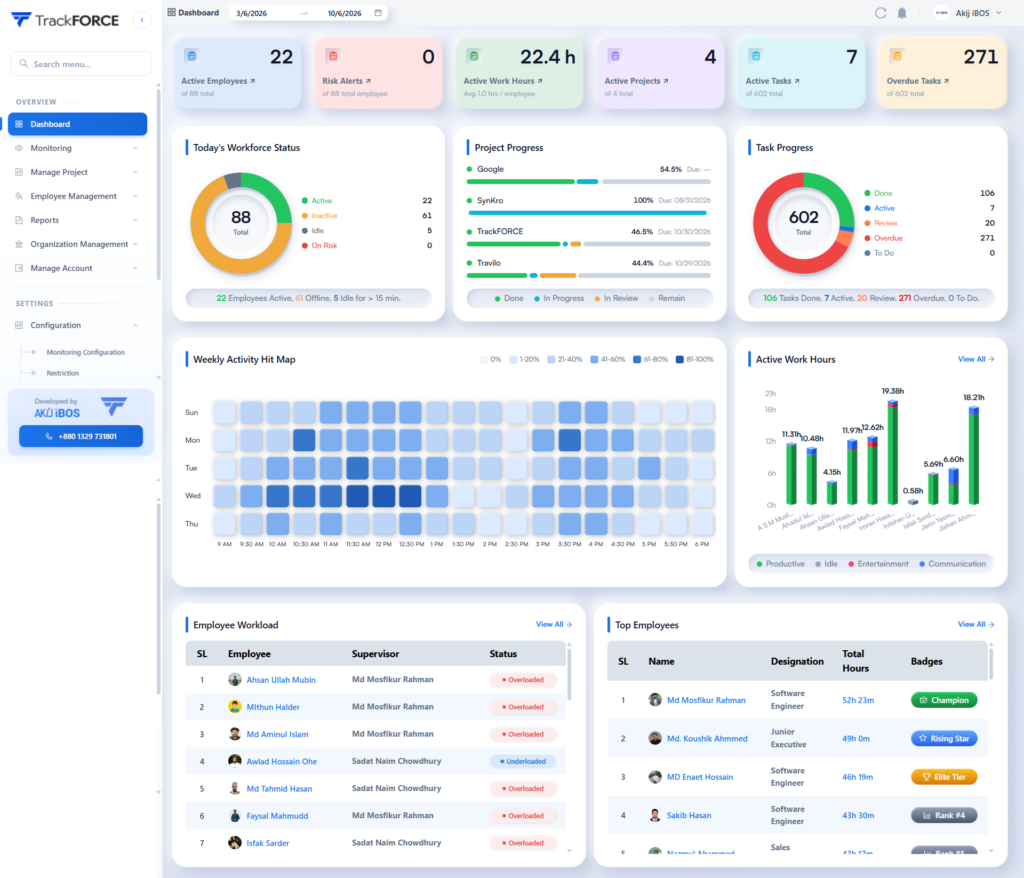
Best for: HR managers and compliance-focused teams at mid-size companies needing both productivity visibility and workforce analytics in a single dashboard.
TrackForce is an employee monitoring and workforce analytics platform developed by AKIJ iBOS, built to give HR teams real-time visibility into how work is actually happening across remote, hybrid, and in-office environments.
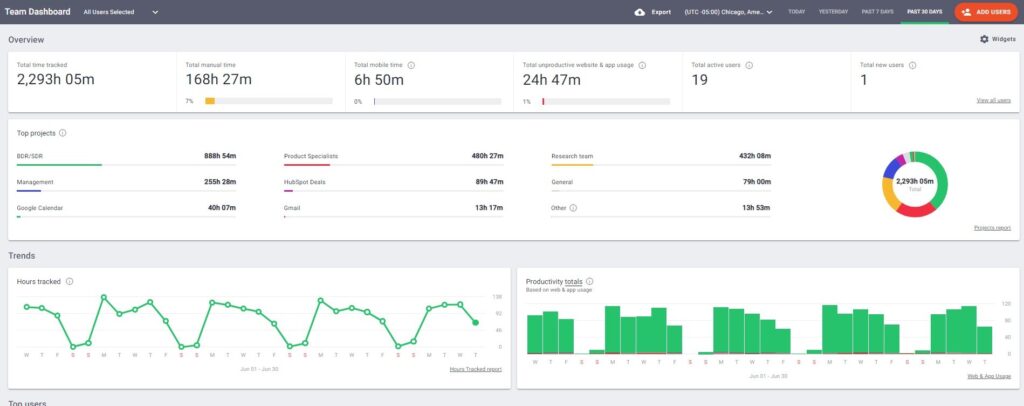
Where TrackForce stands out is the depth of its HR-oriented dashboard layer. Rather than presenting raw time data, it surfaces workforce analytics that map directly to HR workflows: attendance patterns, active productivity scores, idle time trends, and application usage breakdowns, all segmented by team, department, or individual.
Key dashboard features for HR teams:
- Real-time productivity scores calculated from active work time, application usage, and task activity
- Department-level and team-level rollup views alongside individual drill-downs
- Attendance and punctuality tracking with pattern recognition over custom date ranges
- Idle time detection with configurable thresholds so you define what counts as unproductive
- Custom productivity benchmarks by role so performance is measured against relevant standards, not a one-size average
- Exportable reports formatted for performance reviews, compliance records, and HR documentation
What HR managers get from it: TrackForce is built for the use case where HR needs to monitor workforce health without building a surveillance culture. The dashboard is designed to be explainable, meaning managers can share views with employees during 1:1s and performance conversations without it feeling punitive. It also supports remote and in-office teams equally, which matters when your workforce is distributed.
Pricing: Available on request. Free trial accessible via trackforce.io.
One honest limitation: As a newer platform in the market, TrackForce has a smaller third-party integration library compared to legacy tools like Hubstaff or ActivTrak. If you run a deeply integrated tech stack, verify specific integrations before committing.
2. ActivTrak
Best for: Teams that want strong dashboard UX with behavioral analytics baked in.
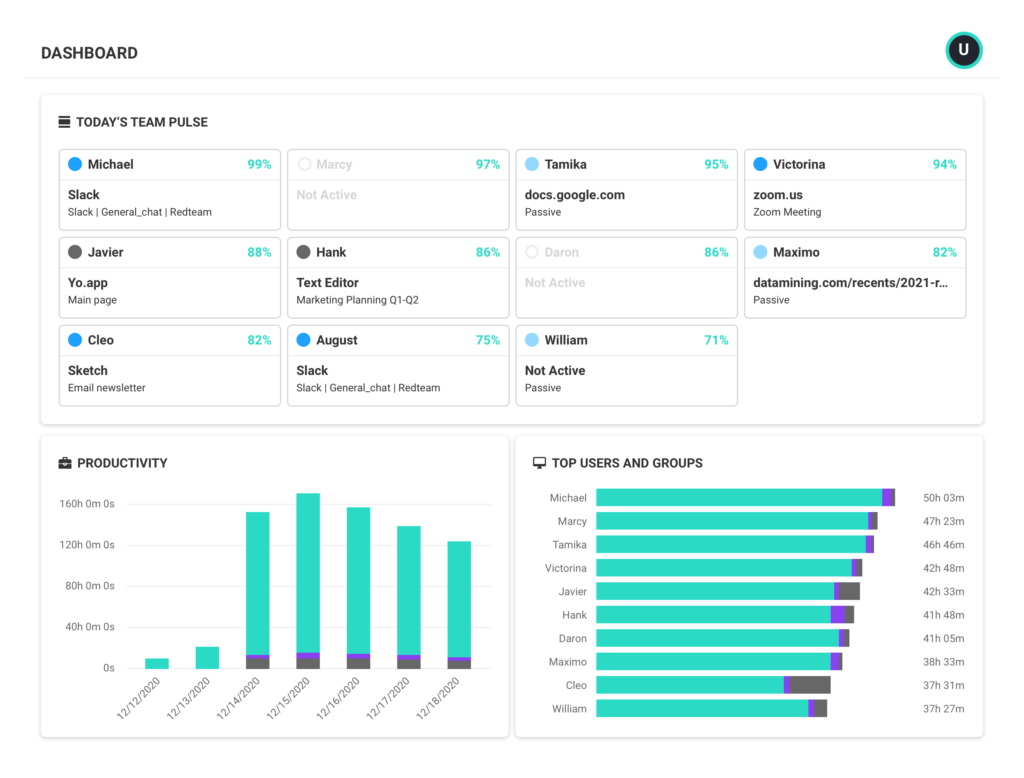
ActivTrak is one of the most polished productivity tracking platforms available for HR and operations teams. Its dashboard is consistently cited by users as one of the clearest in the category, with a clean layout that separates productive time, unproductive time, and undefined time across individuals and teams.
Key dashboard features for HR teams:
- Productivity pulse view giving a real-time snapshot of team activity across the workday
- Workload balance reports that surface overworked and underutilized team members
- Focus time analytics showing deep work patterns vs. context-switching frequency
- Team comparison views across departments or managers
- Benchmarking against internal baselines over time
What HR managers get from it: ActivTrak’s workload balance report is particularly useful for HR. It is one of the few tools that flags burnout risk signals, not just low performers. That reframes productivity tracking from a disciplinary tool into a workforce health tool, which is a much easier internal sell.
Pricing: Free plan available for up to 3 users. Paid plans start around $10 per user per month. Advanced analytics on higher tiers.
One honest limitation: The free tier is genuinely limited. For team-level analytics and the features that matter most to HR, you will need a paid plan. Some users also report that the alert configuration requires more setup time than expected.
3. Hubstaff
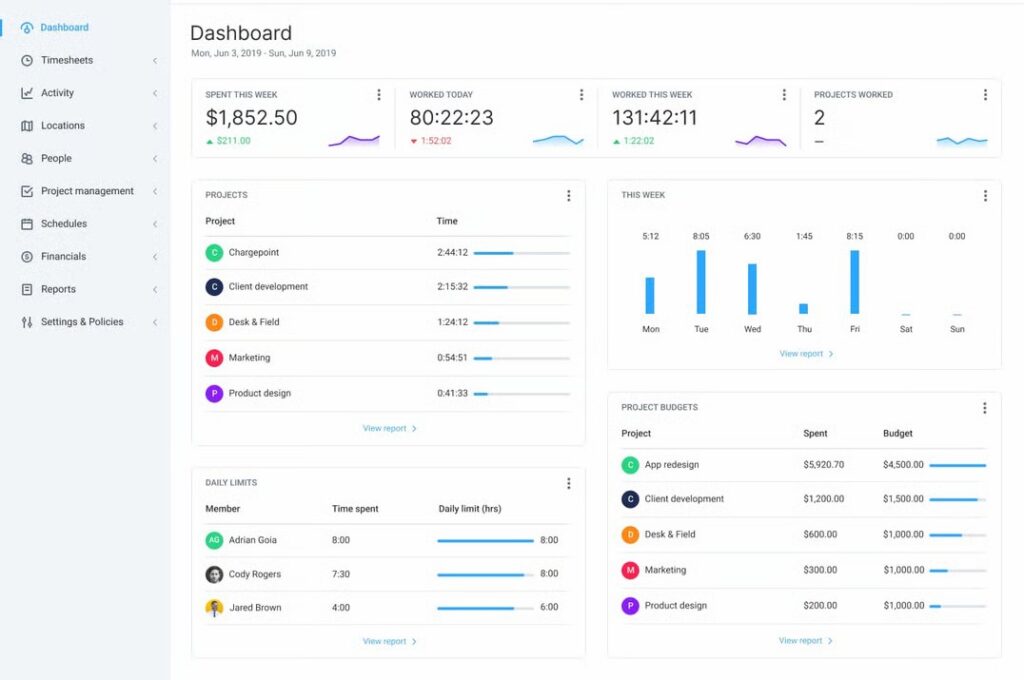
Best for: Remote and distributed teams that need time tracking, productivity monitoring, and payroll in one system.
Hubstaff is one of the most widely adopted productivity tracking platforms globally, with over 140,000 businesses using it. Its dashboard is built around time as the core unit of measurement, which makes it particularly strong for remote teams where hours worked is a primary accountability metric.
Key dashboard features for HR teams:
- Time and activity dashboards showing keyboard, mouse, and app activity during tracked hours
- GPS and location tracking for field teams and mobile workers
- Automated timesheet generation pulled directly from tracked hours
- Project-level productivity reports showing time spent vs. budget
- Shift scheduling and attendance tracking in the same interface
What HR managers get from it: Hubstaff sits at the intersection of HR and payroll, which is its clearest differentiator. If your HR team also manages contractor payments or remote payroll, having productivity data and payment data in one dashboard reduces tool sprawl. The scheduling and attendance features are also more mature than most competitors.
Pricing: Free plan for one user. Starter plans from around $4.99 per user per month. Full analytics on higher tiers.
One honest limitation: Hubstaff’s productivity scoring is heavily weighted toward active input metrics like mouse and keyboard activity. For knowledge workers doing high-value thinking tasks, this can produce misleading scores. HR managers working with creative or strategic teams should configure custom productivity definitions carefully.
4. Insightful
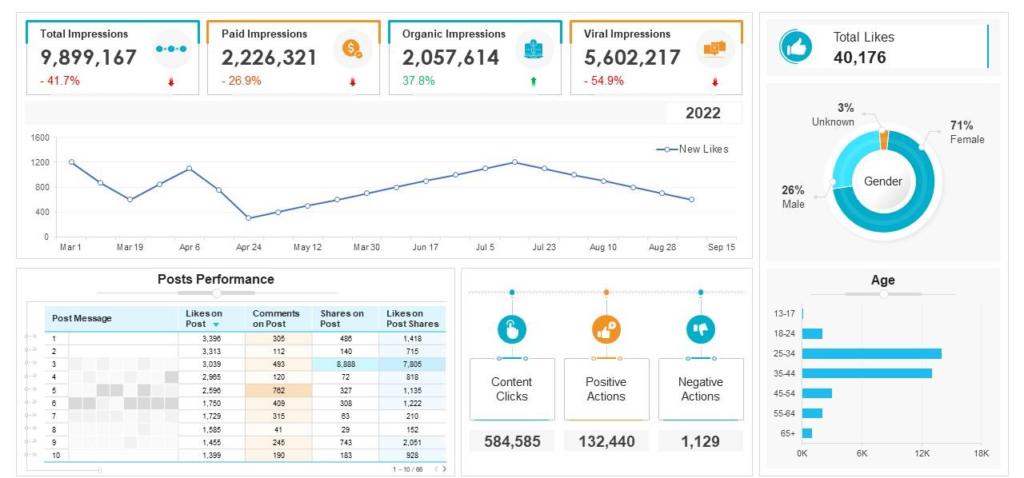
Best for: HR and operations teams that want workforce analytics with an emphasis on process benchmarking and efficiency.
Insightful (formerly Workpuls) has positioned itself as a workforce analytics platform rather than a simple time tracker. Its dashboards are built around productivity trends over time rather than just real-time snapshots, which makes it more useful for quarterly reviews and strategic workforce planning.
Key dashboard features for HR teams:
- Employee productivity trends across daily, weekly, and monthly timescales
- App and website usage categorized automatically with manual override options
- Attendance management with late arrival and early departure tracking
- Office vs. remote productivity comparison dashboards for hybrid teams
- Automatic time mapping that reconstructs work activity without manual timers
What HR managers get from it: Insightful’s office vs. remote comparison dashboard is one of the few purpose-built views for hybrid workforce management. If your organization is navigating a return-to-office policy or trying to make a data-backed case for either direction, this view gives you something concrete to work with.
Pricing: Plans start around $6.40 per user per month. Employee monitoring features on base plan. Advanced analytics and integrations on higher tiers.
One honest limitation: The automatic time mapping feature, while useful, occasionally miscategorizes applications for non-standard workflows. Teams with industry-specific software should plan time for initial category customization.
5. Teramind
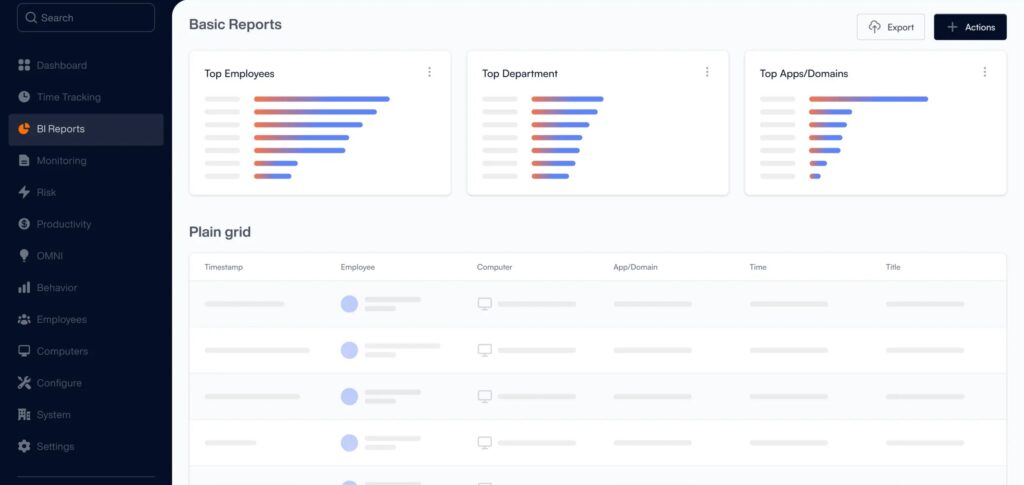
Best for: Enterprise HR and compliance teams that need productivity tracking alongside data loss prevention and insider threat detection.
Teramind occupies the enterprise end of the productivity tracking market. Its dashboards go significantly deeper than productivity metrics, layering in behavioral analytics, risk scoring, and compliance monitoring. For HR teams at regulated companies or those managing sensitive data environments, Teramind provides a level of audit depth that most other tools cannot match.
Key dashboard features for HR teams:
- User behavior analytics with risk scoring for each employee
- Keystroke logging and screen recording with policy-based triggers
- Productivity and efficiency scoring across departments
- Rule-based alerts for policy violations surfaced directly in the dashboard
- Full audit trails exportable for legal, compliance, or HR documentation needs
What HR managers get from it: Teramind is the right choice when HR’s scope includes compliance, data security, or insider risk management alongside traditional productivity oversight. The audit trail and documentation features are genuinely useful during disciplinary processes, terminations, or regulatory reviews.
Pricing: Starter plans from around $11 per user per month. Enterprise plans with full behavior analytics and DLP on custom pricing.
One honest limitation: Teramind is heavyweight by design. For HR teams at smaller companies or those without a compliance mandate, the depth of monitoring may exceed what is practical or ethical to implement. Rollout requires careful employee communication and legal review.
6. DeskTime
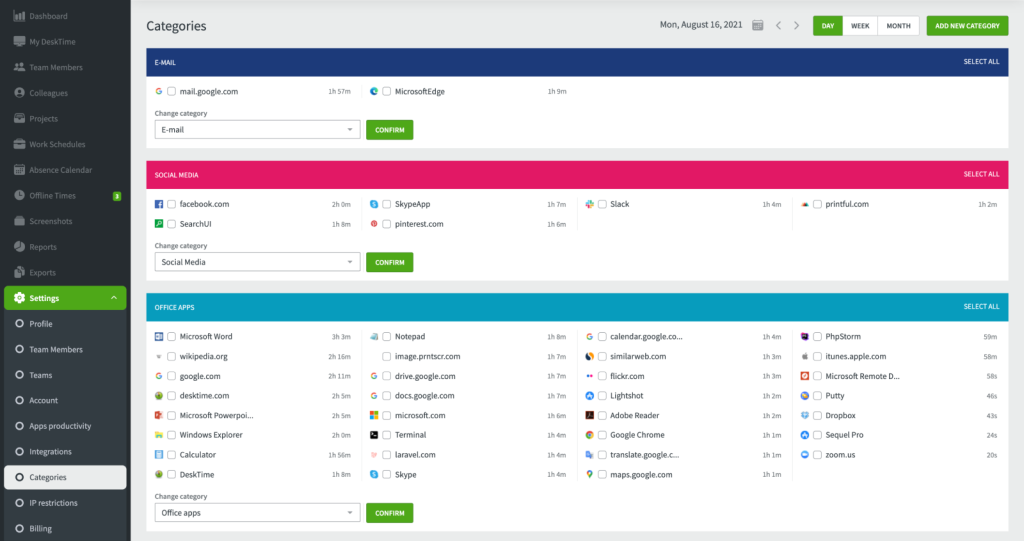
Best for: SMBs and small HR teams that need straightforward productivity tracking without a complex setup.
DeskTime is one of the most accessible productivity tracking tools in the category. It focuses on doing a narrow set of things well: automatic time tracking, application monitoring, and productivity percentage calculation. The dashboard is intentionally simple, which is a feature for HR managers who do not have time to learn a complex system.
Key dashboard features for HR teams:
- Automatic productivity percentage calculated from app and URL categorization
- Daily productivity timeline showing exactly how each hour was spent
- Absence calendar and shift scheduling in the same interface
- Project time tracking tied to billable hours
- Team productivity leaderboard view for comparative snapshots
What HR managers get from it: DeskTime’s absence and scheduling calendar is more developed than most tools at this price point. For HR managers at small companies wearing multiple hats, having attendance management and productivity tracking in one simple dashboard reduces the number of systems to maintain.
Pricing: Free plan for one user. Paid plans from around $6.42 per user per month.
One honest limitation: DeskTime’s analytics depth is limited compared to enterprise options. If you need cross-department trend analysis, custom role benchmarks, or advanced segmentation, you will hit the ceiling quickly.
7. Time Doctor
Best for: Agencies, BPOs, and HR teams managing remote contractors or distributed teams across multiple clients or projects.
Time Doctor combines time tracking with productivity monitoring and has a strong focus on accountability for distributed workforces. Its dashboards are built around billable time and project attribution, making it particularly useful for HR managers overseeing client-facing or project-based teams.
Key dashboard features for HR teams:
- Distraction alerts and real-time productivity nudges sent to employees during tracked time
- Detailed work session reports showing time allocation by project, client, or task
- Screenshot capture on configurable intervals for remote workforce verification
- Payroll integration reporting time worked directly into payment calculations
- Web and app usage reports categorized by productive and unproductive activity
What HR managers get from it: Time Doctor’s distraction management feature is unique. Rather than only reporting unproductive behavior to managers after the fact, it can send real-time nudges to employees when off-task activity is detected. Used correctly, this shifts the tool from surveillance toward self-management support.
Pricing: Basic plans from around $5.90 per user per month. More advanced analytics on higher tiers.
One honest limitation: Screenshots can create trust issues with employees if not carefully communicated during rollout. HR teams implementing Time Doctor need a clear internal policy on when and how screenshots are used, and that policy needs to be shared with employees before monitoring begins.
How to Choose Productivity Tracking Software for HR Teams
The tools above serve different needs. Use these criteria to narrow your decision.
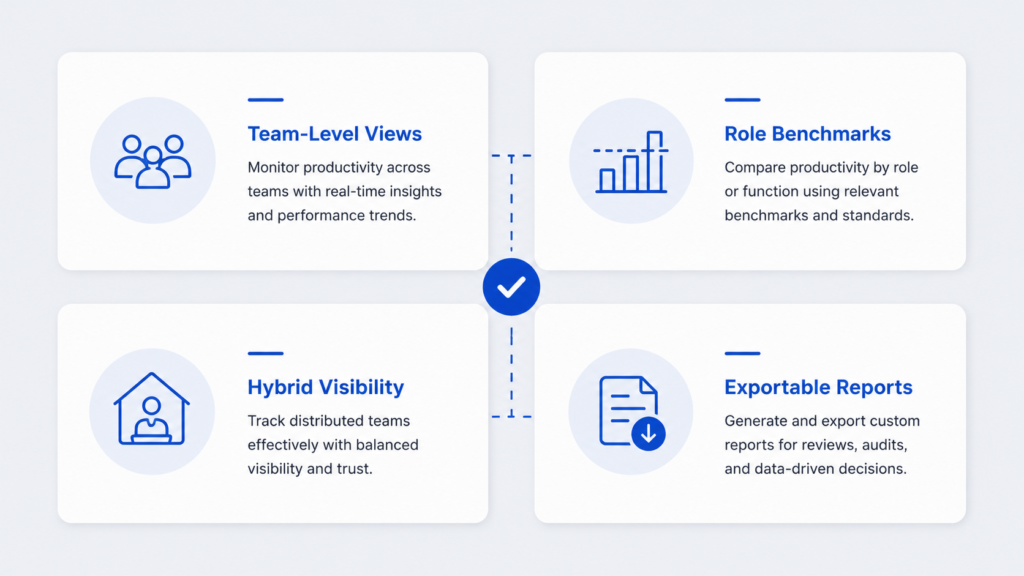
Does it give you team-level views, not just individual reports?
Individual-level data is useful for performance conversations. Team-level and department-level aggregation is what you need for capacity planning, headcount justification, and benchmarking across the organization. Confirm that any tool you evaluate rolls up to the views your HR workflows actually require.
Can you set custom productivity benchmarks by role?
A developer and a customer support agent have fundamentally different productive app usage patterns. Tools that apply a single productivity formula across all roles will generate misleading scores. Look for platforms that let you define what productive means per role or team.
Does it support hybrid and remote visibility equally?
If your workforce is split between office and remote, you need a tool that does not penalize or invisibilize either group. Some tools are built around physical presence signals and produce thin data for remote employees. Insightful and TrackForce both address this directly.
Is the data exportable for HR records and performance reviews?
Productivity data becomes significantly more valuable when it feeds into formal HR processes. Check that your chosen tool can export reports in formats compatible with your HRIS, performance review system, or documentation requirements.
How to Use Productivity Dashboard Data Without Micromanaging
The biggest implementation failure for HR-deployed productivity tracking is not a technical one. It is a trust one.
Here is how to use dashboard data without creating a surveillance culture.
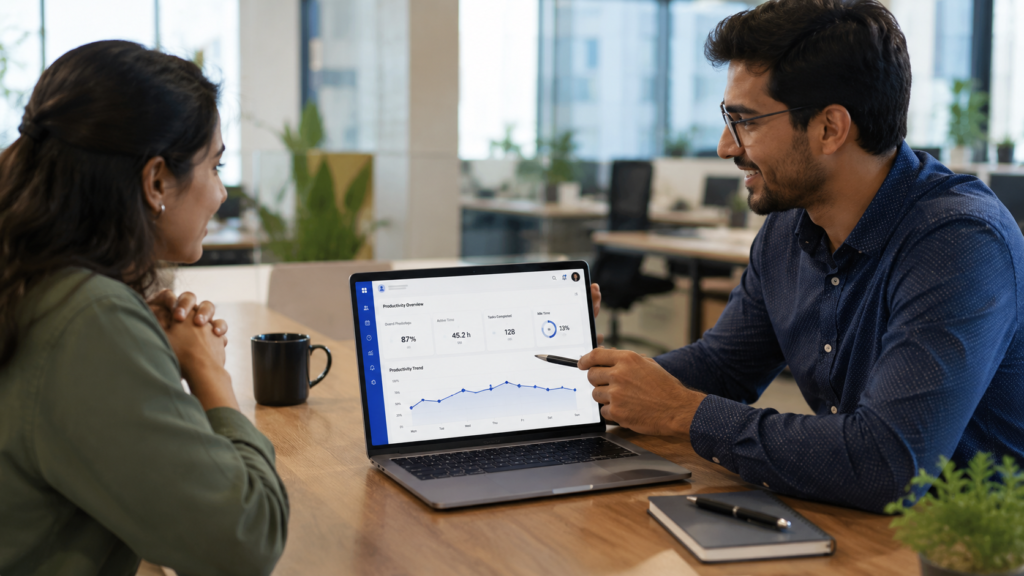
Bring data into 1:1s as conversation starters, not verdicts. A productivity score is a signal, not a performance review. When an employee’s output trend changes, use the data to open a conversation: “I noticed your active hours dropped last week, is there anything blocking you?” That framing makes the data useful for the employee, not just the manager.
Act on patterns, not single data points. One low-productivity day proves nothing. A three-week downward trend in task completion and active hours tells you something worth addressing. Configure your dashboard to show trend lines, not just today’s snapshot.
Define and communicate what is being tracked before you launch. The single most effective thing you can do to get employee buy-in is transparency at rollout. Share what data is collected, how it is used, who can see it, and what it will never be used for. This reduces resistance and removes the surveillance stigma.
Use anomalies to identify support needs, not just performance issues. A sudden drop in productivity sometimes means disengagement. It also sometimes means burnout, a personal crisis, unclear expectations, or a broken workflow. Dashboard data tells you something is off. Your management response determines whether it actually helps.
Pricing Comparison Table
| Tool | Starting Price | Free Trial | Best HR Plan |
| TrackForce | Request pricing | Yes | All plans |
| ActivTrak | $10/user/month | Yes (3 users free) | Advanced |
| Hubstaff | $4.99/user/month | Yes (14 days) | Team |
| Insightful | $6.40/user/month | Yes (7 days) | Enterprise |
| Teramind | $11/user/month | Yes (7 days) | Enterprise |
| DeskTime | $6.42/user/month | Yes (14 days) | Pro |
| Time Doctor | $5.90/user/month | Yes (14 days) | Standard |
Pricing based on publicly available information as of 2026. Verify current rates with each vendor.
Frequently Asked Questions
What is the best free productivity tracking software with dashboards?
ActivTrak offers the most capable free tier for small teams, supporting up to 3 users with basic productivity dashboards. Hubstaff and DeskTime also offer free single-user plans. For HR teams managing more than a handful of employees, paid plans are generally necessary to access team-level views and the analytics that matter most for workforce management decisions.
Can productivity tracking software be used ethically in the workplace?
Yes, with the right approach. Ethical implementation requires employee transparency about what is tracked, a clear policy on how data is used, and a management culture that uses the data to support employees rather than surveil them. Tools like TrackForce and ActivTrak are specifically designed with transparent monitoring as a core principle. The ethics of productivity tracking depend far less on the software and far more on how the organization implements and communicates it.
What is the difference between employee monitoring and productivity tracking?
Employee monitoring refers broadly to observing employee behavior, including screen capture, keystroke logging, email monitoring, and website recording. Productivity tracking is a narrower category focused on measuring work output, active time, and task completion. Some tools like Teramind offer both. Others like DeskTime focus exclusively on productivity measurement without behavior surveillance. HR managers should be clear on which category they need and ensure their legal and compliance teams have reviewed the approach for their jurisdiction.
Is productivity tracking software suitable for remote and hybrid teams?
Yes, and in many cases it is more valuable for distributed teams than office-based ones, precisely because managers have less natural visibility into how remote work is happening. Tools like Insightful, TrackForce, and Hubstaff are built with remote and hybrid visibility as primary use cases. The key is choosing a tool that produces equally useful data for office and remote employees, rather than one that generates rich data for in-office workers and thin data for remote ones.
Final Verdict
For HR managers who need a productivity dashboard that supports real workforce decisions rather than raw surveillance data, the standout options in 2026 are TrackForce for combined workforce analytics and HR-specific views, ActivTrak for dashboard clarity and workload balance insights, and Insightful for hybrid team benchmarking.
The best tool is the one that fits your team structure, integrates with your existing HR processes, and gives you data you can actually bring into performance conversations without damaging trust.
TrackForce offers a free trial with no commitment. If your priority is an HR-oriented dashboard that covers attendance, productivity scoring, and team analytics in one place, it is worth evaluating directly.
Start your free TrackForce trial at trackforce.io
